
Elirox Help Center
How to Connect a Vantage Account
Vantage is one of the supported brokers in Elirox, meaning you can run automated trading strategies directly on your Vantage trading account. Here’s how to get everything set up.
Step 1: Go to the Accounts Page
Open the Elirox app and navigate to the Accounts page. Find the Add new account box at the top and press the Choose a broker button.

Step 2: Select Vantage as Your Broker
From the list of available brokers, choose Vantage.

Step 3: Create or Log In to Your Vantage Account
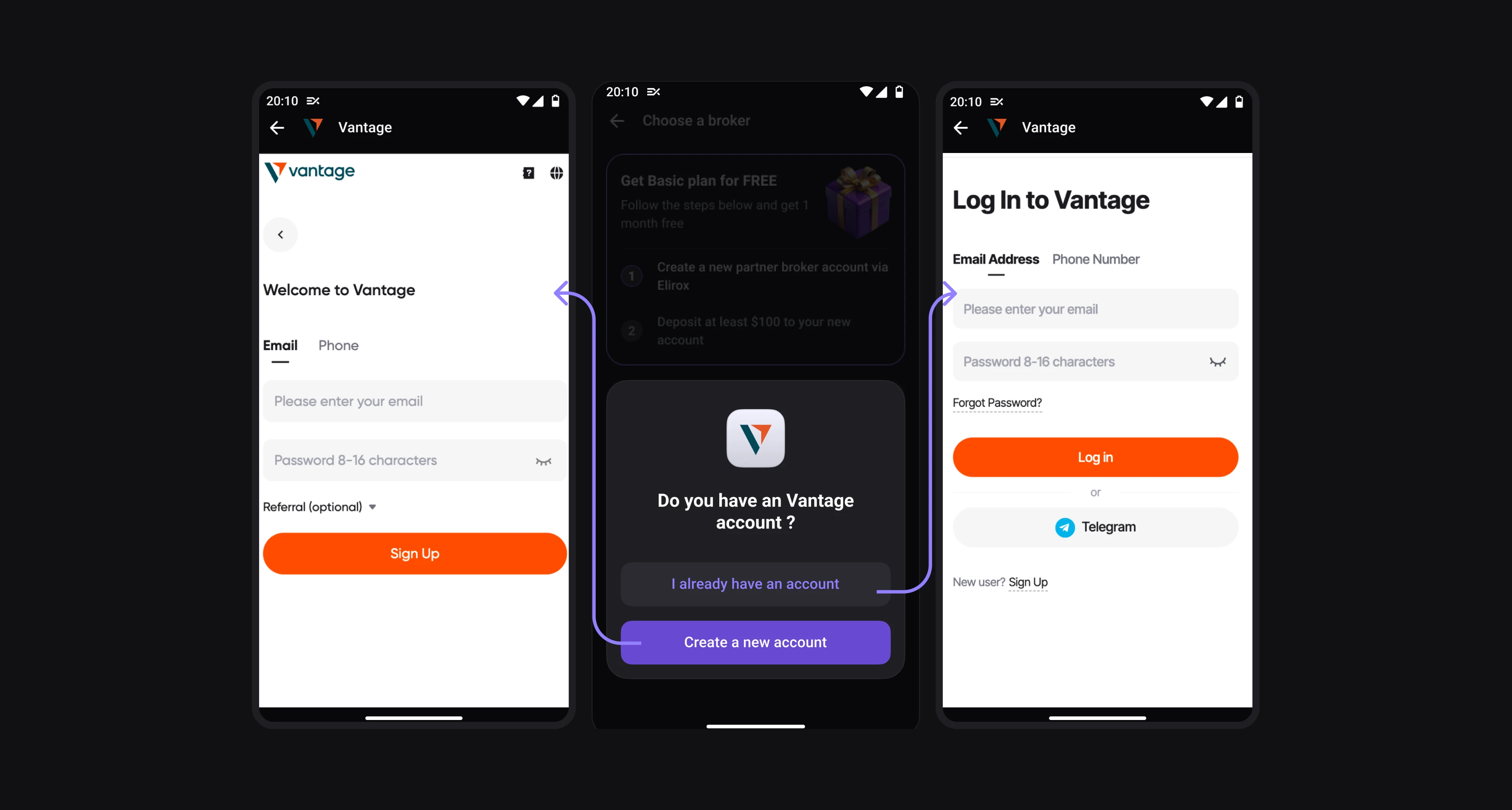
A window will open asking whether you already have a Vantage account. Choose the option that applies to you:
- Select Create a new account if you don’t have one yet.
- Select I already have an account if you already use Vantage.
You’ll be redirected to the Vantage website in your browser. Complete the registration or log in to continue.
Step 4: Activate Your Vantage Account
Make a deposit through Vantage to activate your trading account. Once the deposit is complete, return to the Elirox app.

Step 5: Connect Your Trading Account
On the Connect your trading account screen, enter the following details:
- Server — select your STARTRADER server from the dropdown list.
- Login — enter your STARTRADER trading account number.
- Password — enter your trading account password.
Hit Connect when you’re ready.

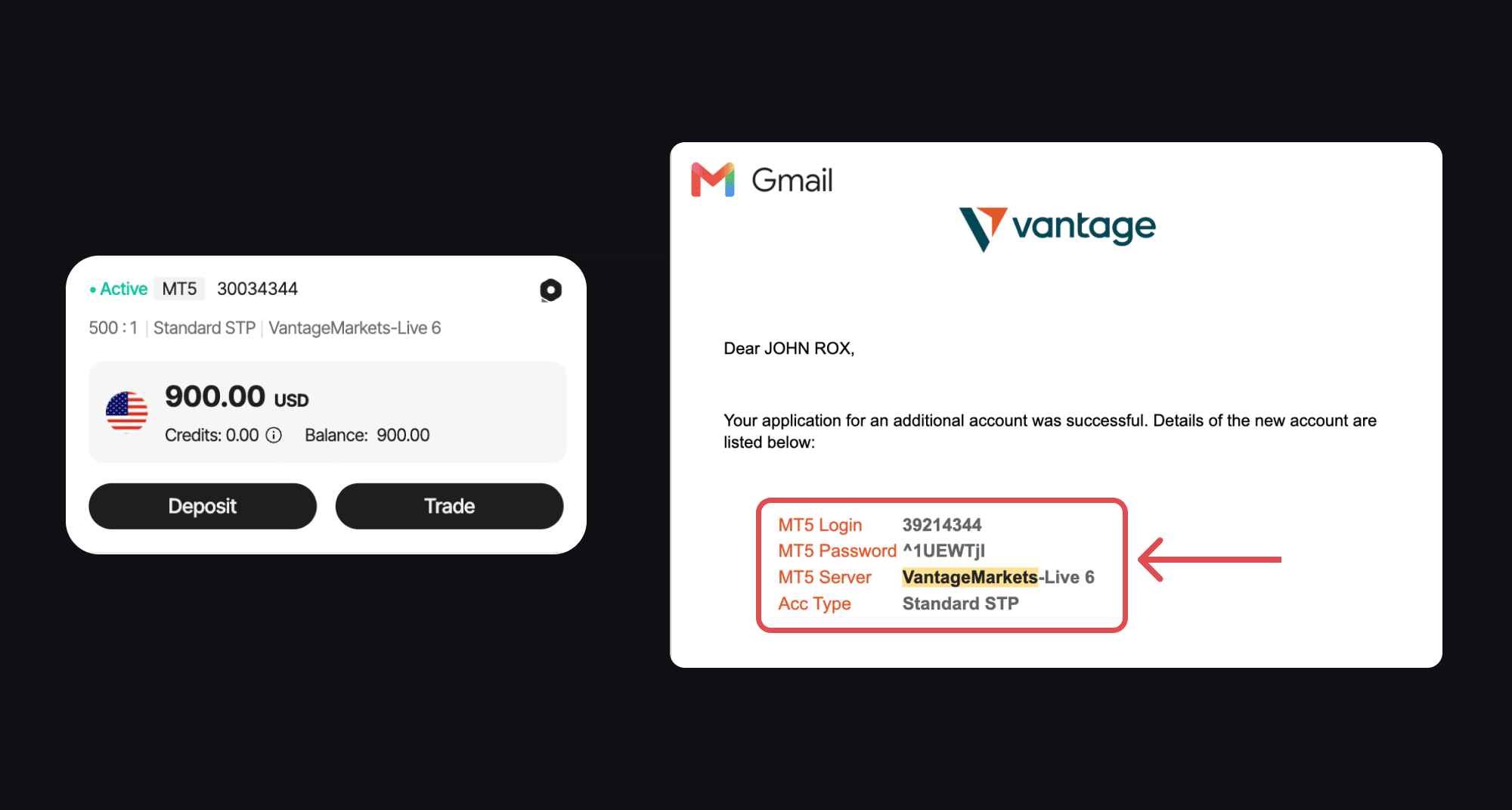
Where to Find Your Connection Details?
You’ll need three things from your Vantage account: Server, Login, and Password.
- Your Login and Server are visible right in the Vantage app, on your account card (e.g.
30034344onVantageMarkets-Live 6). - Your Password, however, is only sent once — by email when the account was created. Search your inbox for an email from Vantage with your account details, and look for the fields MT5 Login, MT5 Password, and MT5 Server.
Copy these exactly into the matching fields in Elirox.
Step 6: Your Account Is Connected
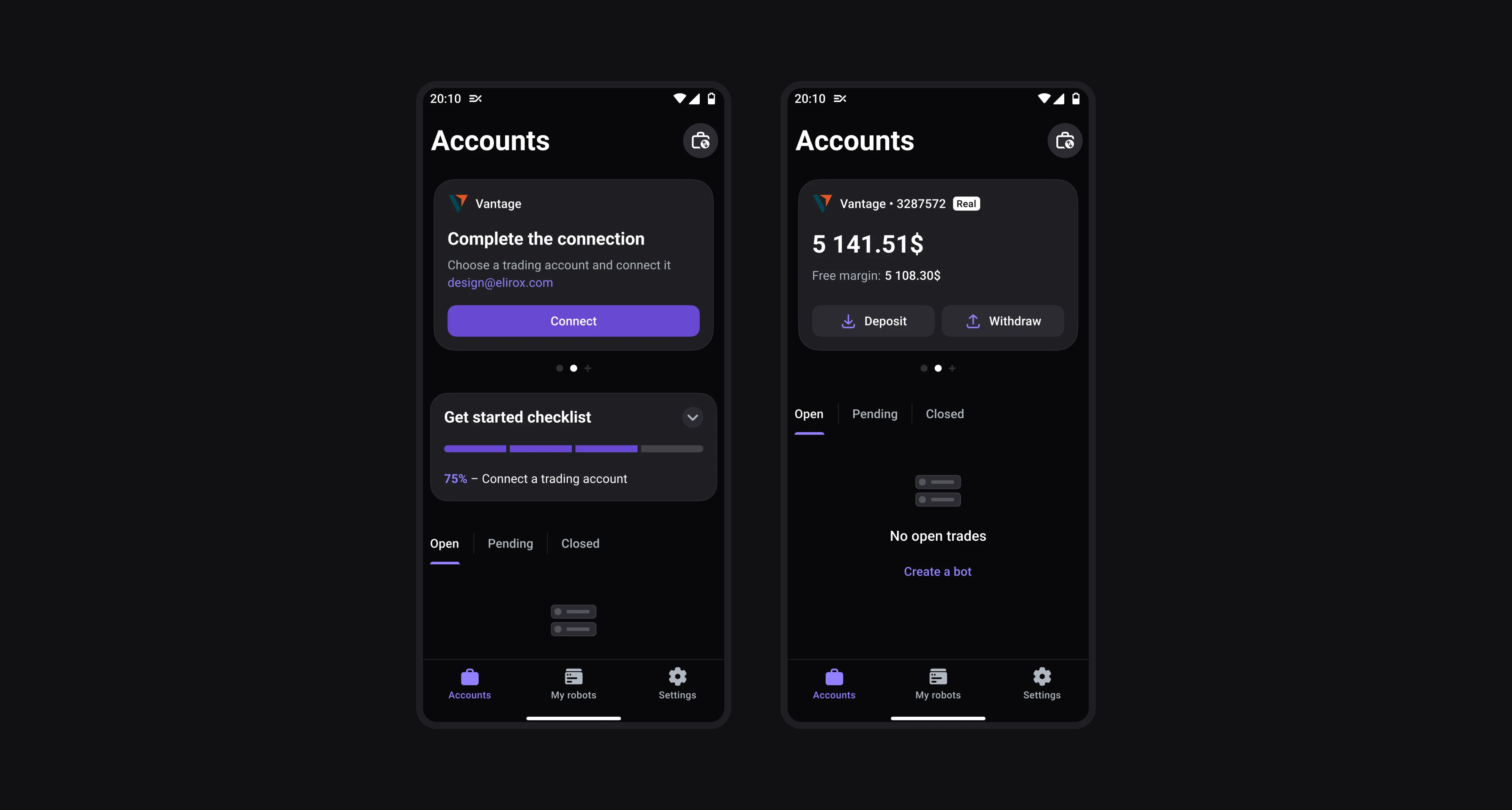
After submitting, Elirox will redirect you to the Accounts page. The broker response can take anywhere from 1 to 5 minutes. Once your account is connected, you can fully utilize the app’s automated trading features.
Summary
- Open the Accounts page and press Choose a broker.
- Select Vantage.
- Create a new Vantage account or log in.
- Make a deposit to activate your trading account.
- Enter your server, login, and password in Elirox.
- Wait for the connection and start trading.
💡 Please note that deposit and withdrawal management is handled directly through your broker’s website and is separate from the account connection process. Find out more in the deposit and withdrawal guide.
If you need any help with your Vantage broker account connection, feel free to contact our support team.