
Elirox Help Center
How to delete an account
If you’re sure about deleting, follow the steps below. Remember, you have seven days to cancel the deletion if you change your mind.
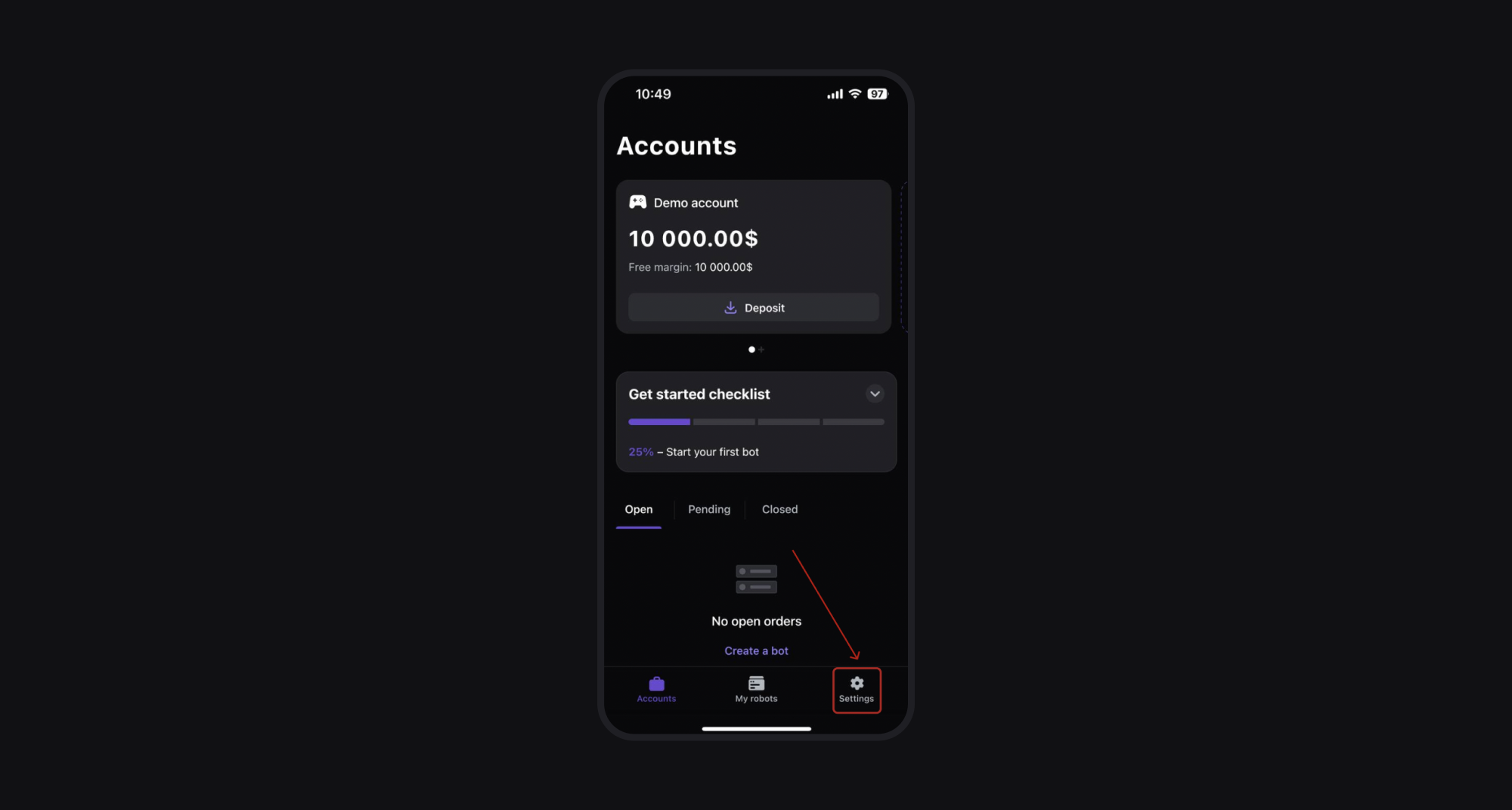
Step 1: Open the Elirox app and go to the Settings page
Launch the Elirox app and press the Settings icon to access the Settings page.
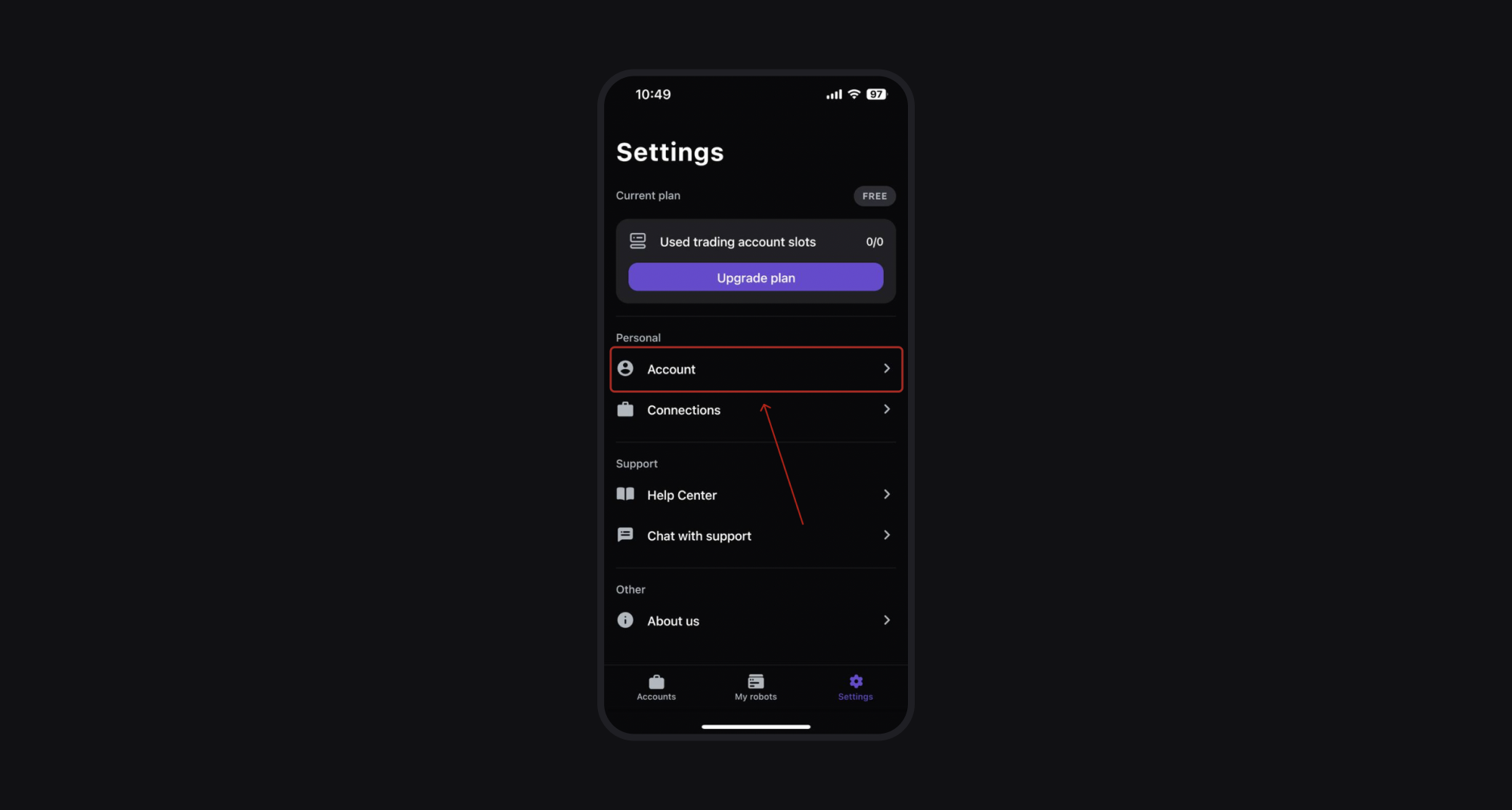
Step 2: Go to the Account section
In the Settings menu, select the Account option to manage your account details.
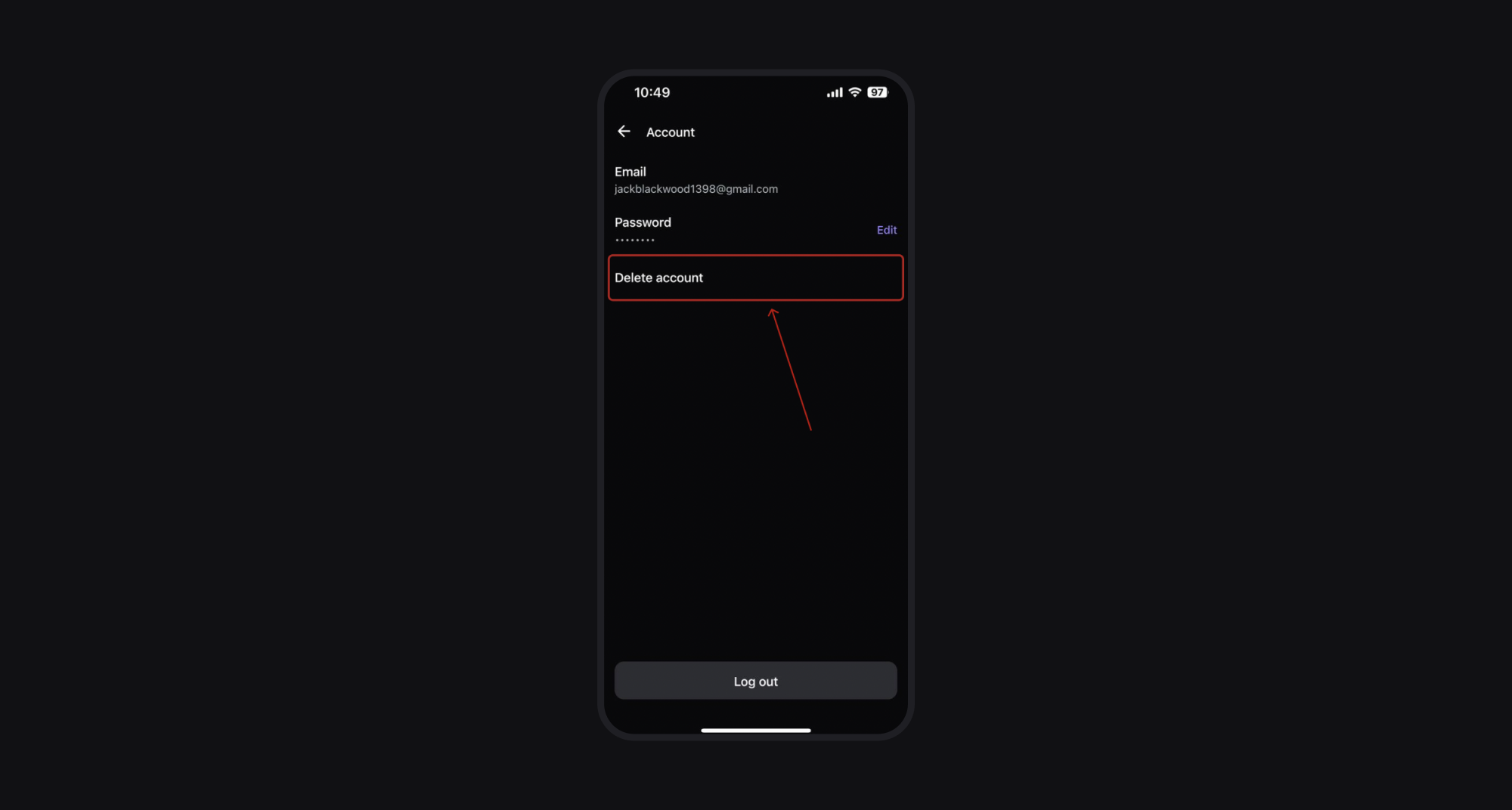
Step 3: Press Delete Account
In the Account section, find and press Delete Account to start the deletion process. Make sure you don’t have any active automated trading setups or pending trades before proceeding.
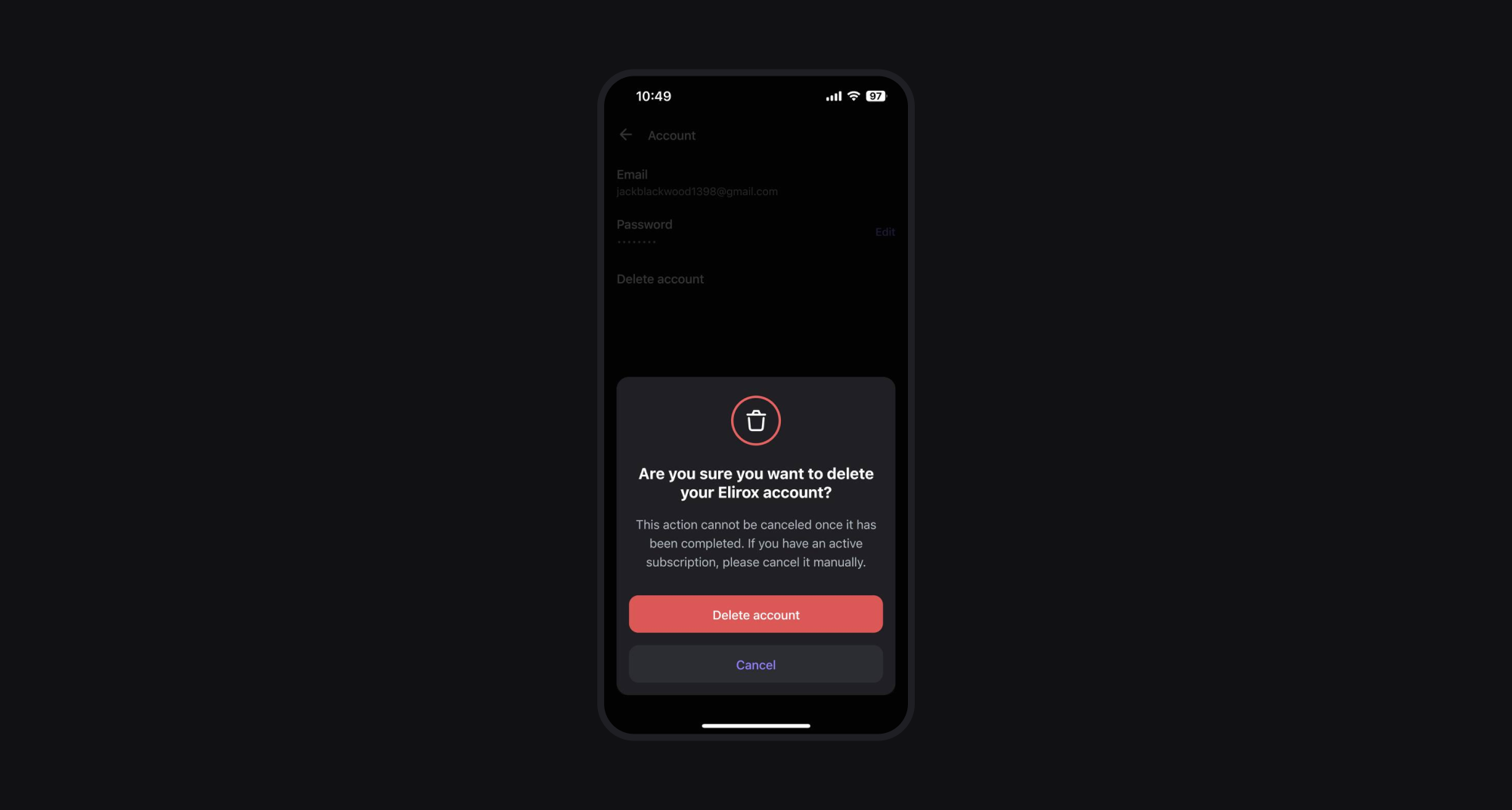
Step 4: Confirm deleting your account
To confirm, press Delete Account again.
Seven-day cancellation period
After initiating the deletion process, you have seven days to cancel it by logging back into the app and selecting Cancel Deletion. If you don’t cancel within seven days, your account will be permanently deleted, and all associated trading strategy setups, bots, and settings will be erased.
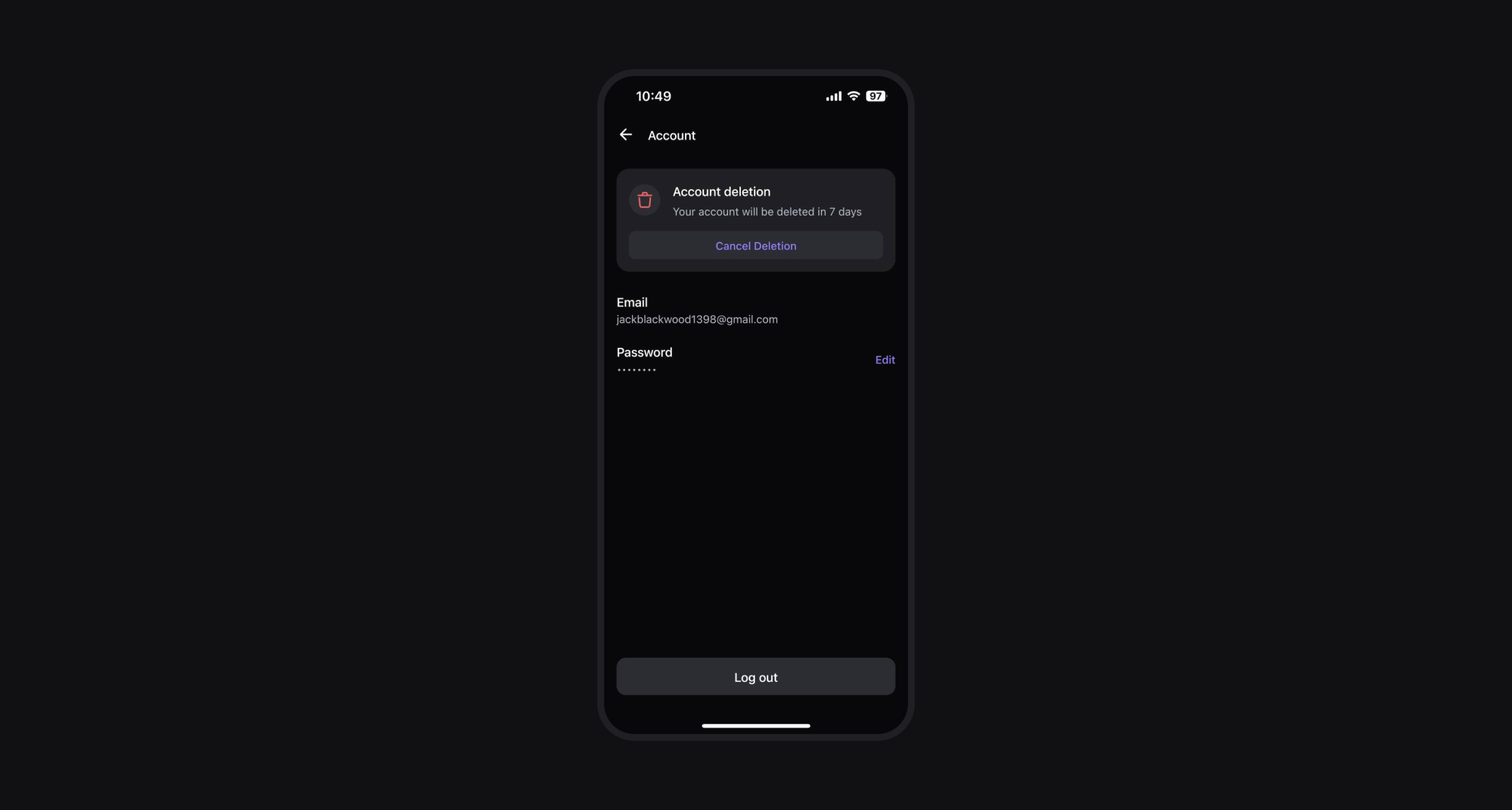
By following these steps, you can successfully delete your account in the Elirox app. If you need help or change your mind, remember you have seven days to cancel.
For further assistance, feel free to contact Elirox support.