
Elirox Help Center
Trading Strategies: GRID
The GRID strategy is a trading approach that divides a chosen price range into levels and places buy and sell orders at each step. In simpler terms, it involves setting up a grid of automated trades that capture profit from price swings within that range. This makes it one of the most popular automation-based strategies among retail traders today.
General Principle of the GRID Strategy
While the DCA strategy focuses on averaging a position when the price moves against it, GRID trades more actively as the market fluctuates within a defined range. Each time an order is executed, a new one is automatically placed, allowing the strategy to run continuously. This self-renewing mechanism is what gives GRID its edge in choppy, sideways markets.
It’s a practical approach for traders who want to benefit from volatility without constant manual intervention.
How GRID Works: A Practical Example
Imagine EUR/USD is trading between 1.0800 and 1.1000. You set up a GRID with 10 levels, spaced 20 pips apart. The bot places buy orders below the current price and sell orders above it.
As the price moves up and down within that range, each level triggers trades and captures small profits.
For example:
Price drops from 1.0950 to 1.0900 → a buy order executes at 1.0900
Price recovers to 1.0950 → a sell order executes at 1.0950
The bot captures a 50-pip move on that swing, then resets and repeats
The more the price oscillates within the range, the more opportunities the grid can capture—without requiring you to monitor the market manually.
When to Use GRID — and When to Avoid It
Use GRID when:
The market is moving sideways or ranging within a predictable zone
You expect volatility but no strong directional trend
You want to automate frequent small profits without active management
Avoid GRID when:
The market is in a strong one-directional trend
You expect a major news event that could push price far outside your range
The asset has very low liquidity or is prone to unpredictable gaps
If the price breaks out of your defined range and continues moving in one direction, the grid will keep placing orders on the wrong side. Setting an appropriate range and using stop-loss filters is essential. Regularly reviewing your range settings as market conditions evolve can also significantly improve long-term performance.
Conservative, Optimal, and Aggressive Presets
Elirox offers three AI preset styles that automatically configure the GRID based on your risk preference. All you need to do is choose the asset—the system handles the rest.
Conservative — Fewer grid levels with wider spacing between orders. Each trade is larger but less frequent. Lower overall risk; suitable for more stable assets or cautious traders.
Optimal — A balanced setup with moderate spacing and trade frequency. A good starting point for most assets and market conditions.
Aggressive — More grid levels with tighter spacing, generating more frequent trades. Higher potential returns, but also greater exposure if the market moves sharply in one direction.
You can choose any of these presets or build a fully custom setup using manual configuration options.
Risk Management Settings
Managing risk is essential when running a GRID strategy. The Trading Filters section allows you to define boundaries that automatically stop the bot if the market moves too far in either direction.
Upper stop price — Sets a price ceiling. If the market reaches this level, the bot stops and closes all orders. This is useful if you expect resistance and want to lock in results before a potential reversal.
Lower stop price — Sets a price floor. If the market drops to this level, the bot stops and closes all orders. This serves as your main downside protection if the price breaks below your grid range.
Both filters act as hard stops—once triggered, the strategy closes automatically without manual intervention. Using both upper and lower stops together gives you a clearly defined risk envelope for every trade session.
Beyond stop prices, ensure your price range and grid levels are thoughtfully configured. A range that is too narrow may cause the bot to hit its limits quickly; too wide, and the spacing between levels may be too large to capture meaningful price movements.
The order amount per level also affects margin requirements—be sure to check the margin estimate shown in the app before launching.
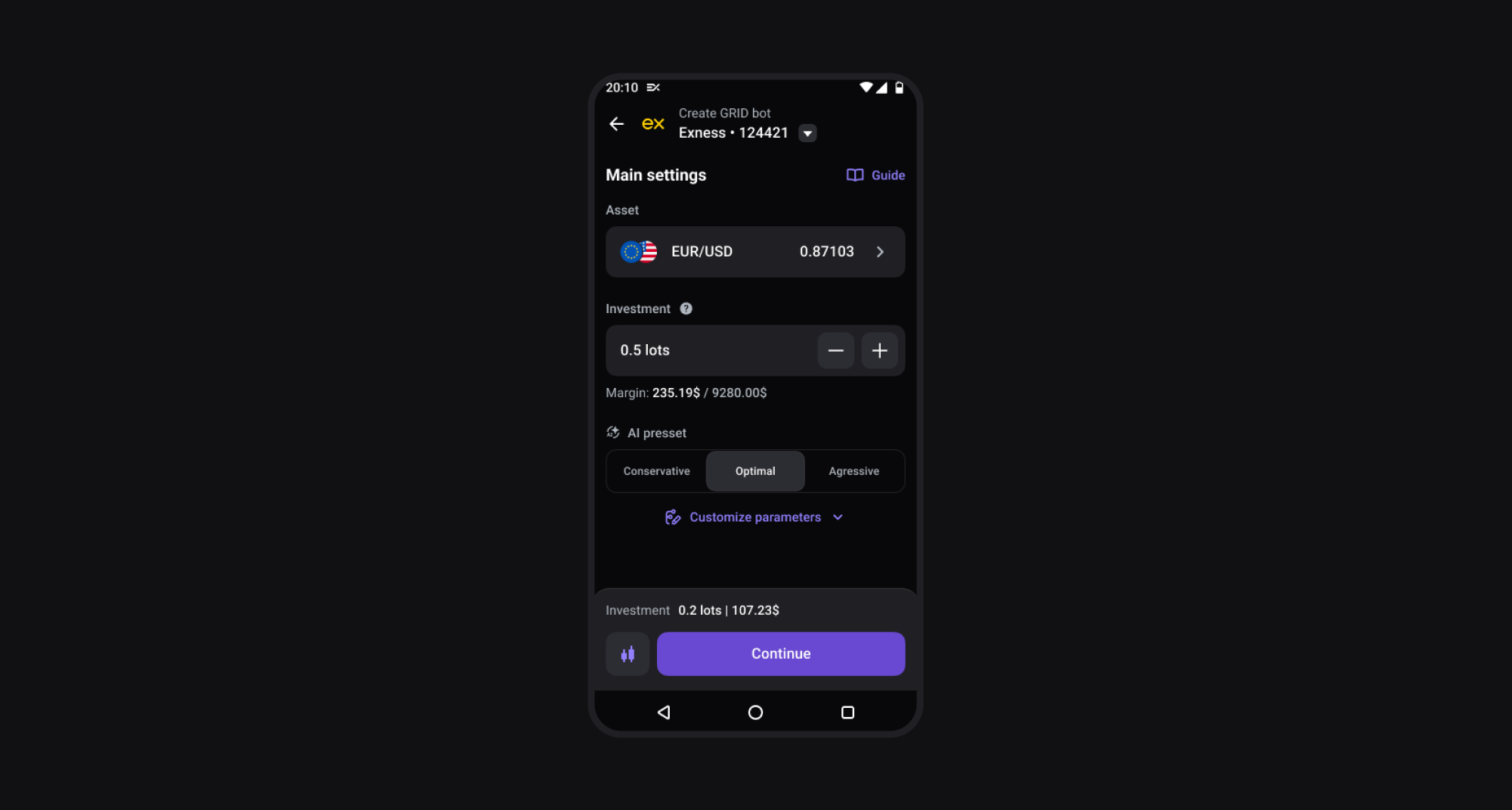
If you prefer more control, you can fully customize your trading strategy using built-in risk management tools like trading filters to help you adapt to changing market environments. Explore the custom settings options here.
For a deeper breakdown of how GRID works across different market conditions, see our full GRID trading strategy guide.
Set up your GRID strategy with Elirox today and start trading smarter!