
Elirox Help Center
How to use a demo account
In this guide, we’ll walk you through how to effectively use the demo account feature in the Elirox app. You’ll learn how to start trading with virtual funds and explore the platform’s tools without any financial risk.
💡 What is a demo account?
A demo account is a practice account that uses virtual trading funds instead of real cash.
It helps you test different trading bot strategies and get familiar with the app risk-free.
In Elirox, there are two ways to use a demo account:
- Directly within the app
- By connecting your broker’s demo account
Use the free demo account provided by Elirox
With the Elirox app, you can start trading using our free demo account. Here’s what you need to know about this option:
- Virtual funds: Each free demo account comes with a virtual trading deposit of $10,000. This allows you to experiment with Elirox’s trading robots without any financial risk.
- Leverage: The leverage for this demo account is set at 1:500.
- Flexibility: You have full control over your demo account. You can reset the demo account or add virtual trading funds whenever you like, providing you with continuous opportunities to practice and refine your trading work.
Setup of a demo account
Your demo account is created automatically upon registration, so you can jump into automated trading and experiment with your trading bot strategies right away.
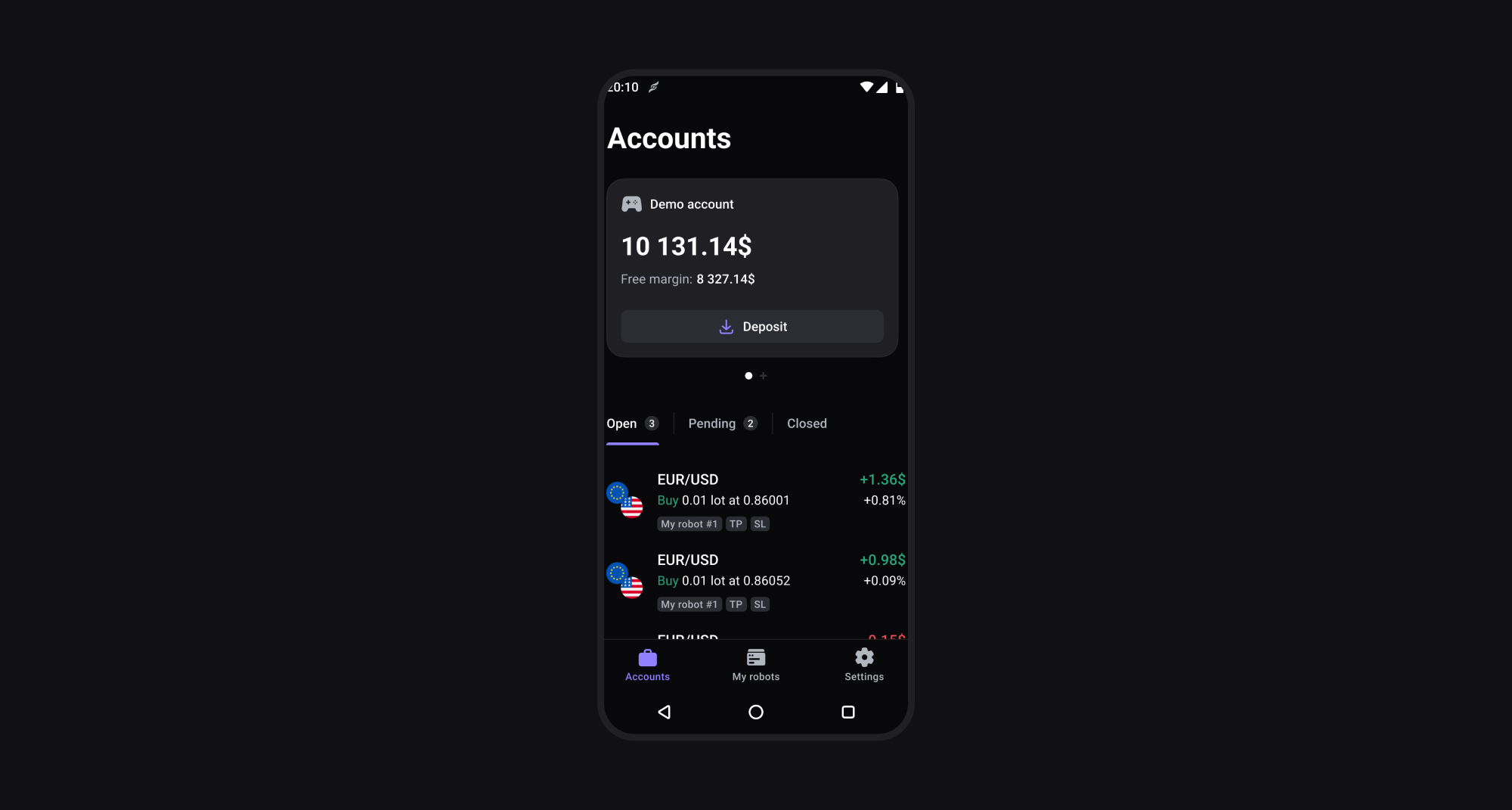
Connect a demo account from your preferred broker
If you have a broker’s demo account and prefer to use it with Elirox, you can easily connect it to our app.
- Subscription required: Please note that connecting a demo account from a broker counts toward the total number of trading accounts you can connect, just like a real trading broker account.
- Account management: Once you connect your demo account from a broker to Elirox, all adjustments and settings must be managed directly through your broker’s website.
Setup of a demo account
To connect a broker’s demo account, simply follow the same steps as you would for connecting a real account. Detailed guides for connecting a broker’s account can be found here.
We hope this guide helps you make the most of Elirox’s demo account features. If you have any questions or need trading help with your demo account, please contact our support team.