
Elirox Help Center
Linking Your Exness Account to Elirox
Follow these steps to link your Exness trading account to the Elirox app if your Exness account was previously disconnected or linked to another partner. Once reconnected, you’ll be able to use Elirox’s automated trading bots without any issues.
Step 1: Open live chat with Exness support
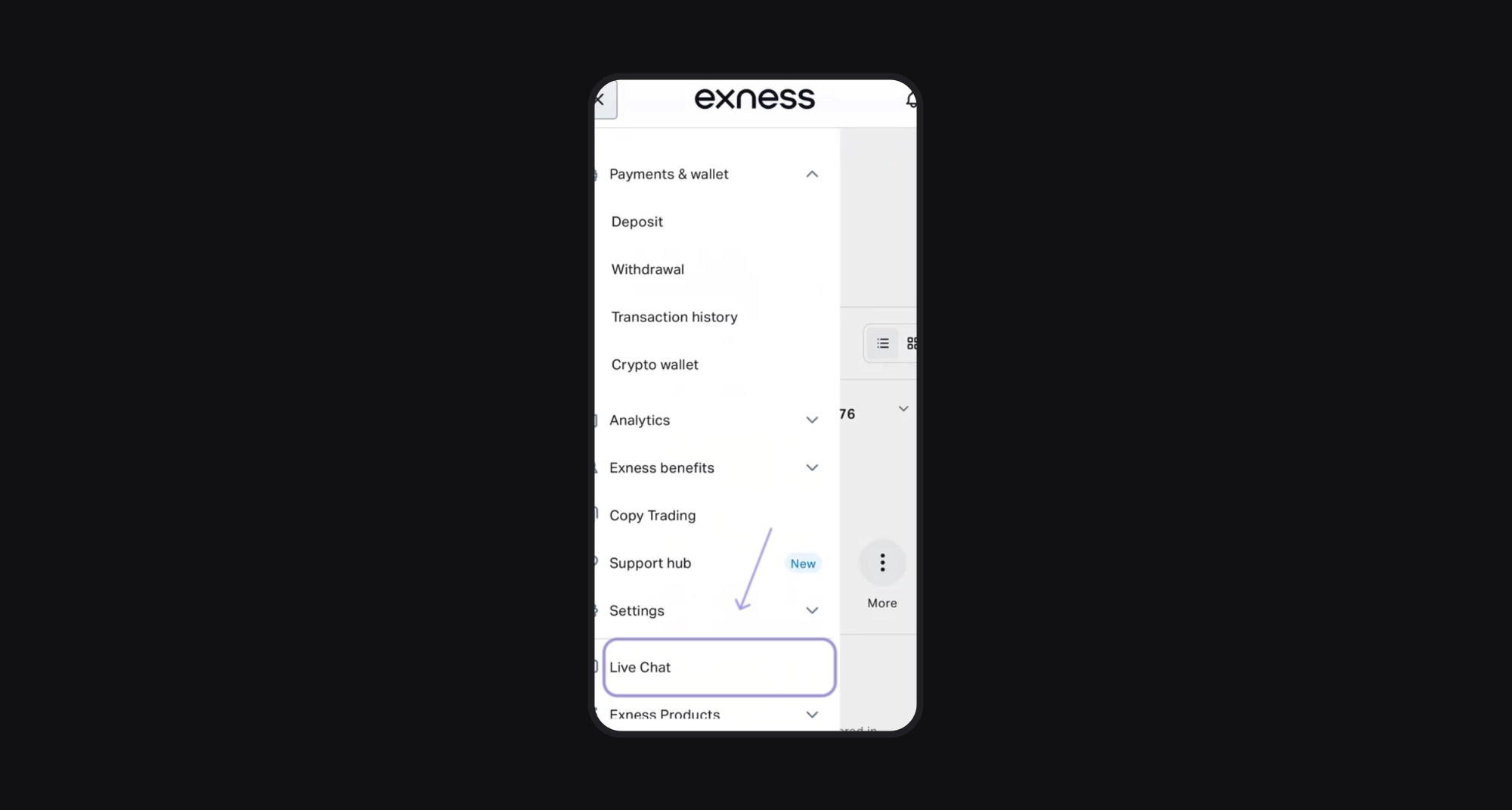
Log in to your Exness account and open the Live Chat section from the menu. Start a chat with Exness support and type: change partner.
Step 2: Get your partner link
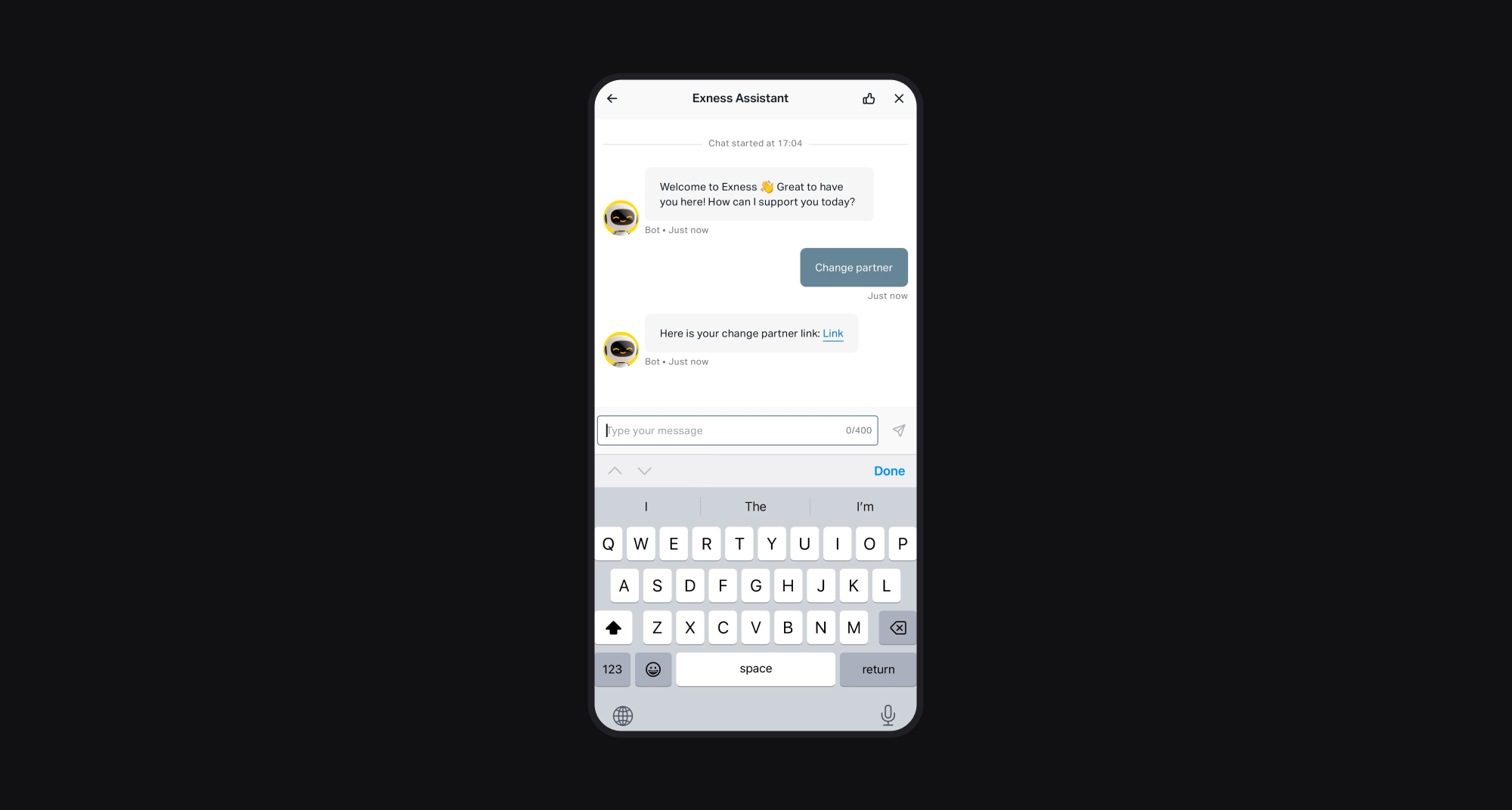
Exness support will send you a unique partner link. This link is required to connect your account to Elirox.
Step 3: Submit the partner change request
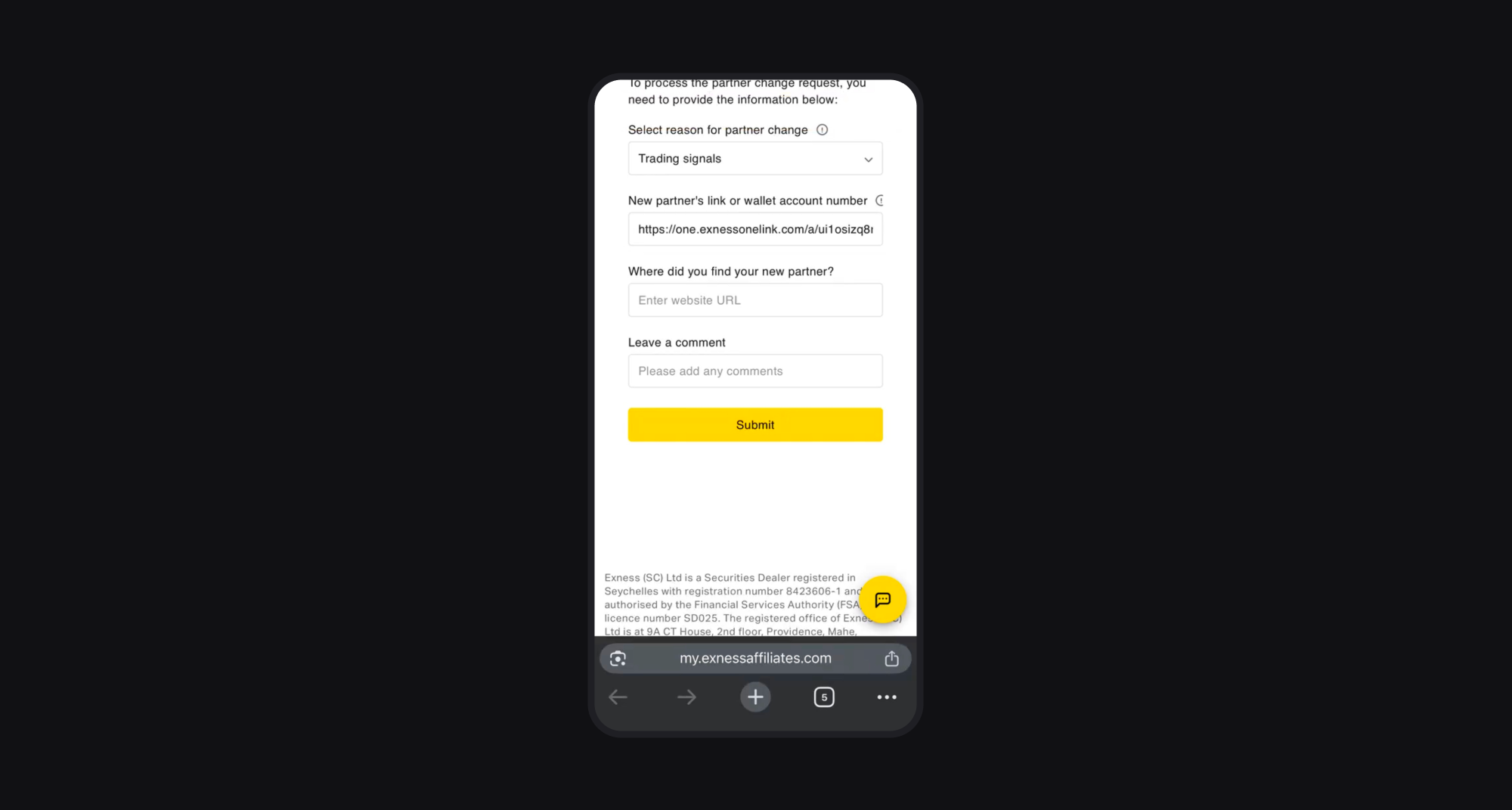
Open the partner change form and fill it out as follows:
- In the Reason for changing partner field, choose Trading signals from the list.
Paste the new partner link from Elirox app.
All other fields can be left blank.
Click Submit to send the request.
The partner change process can take up to 3 business days, but in most cases it’s completed in about 5 minutes. Wait a few minutes, then refresh the page to check the status.
Step 4: Create a new trading account
Once the partner link is updated successfully, you’ll need to create a new trading account in Exness. This new account will be automatically linked to Elirox.
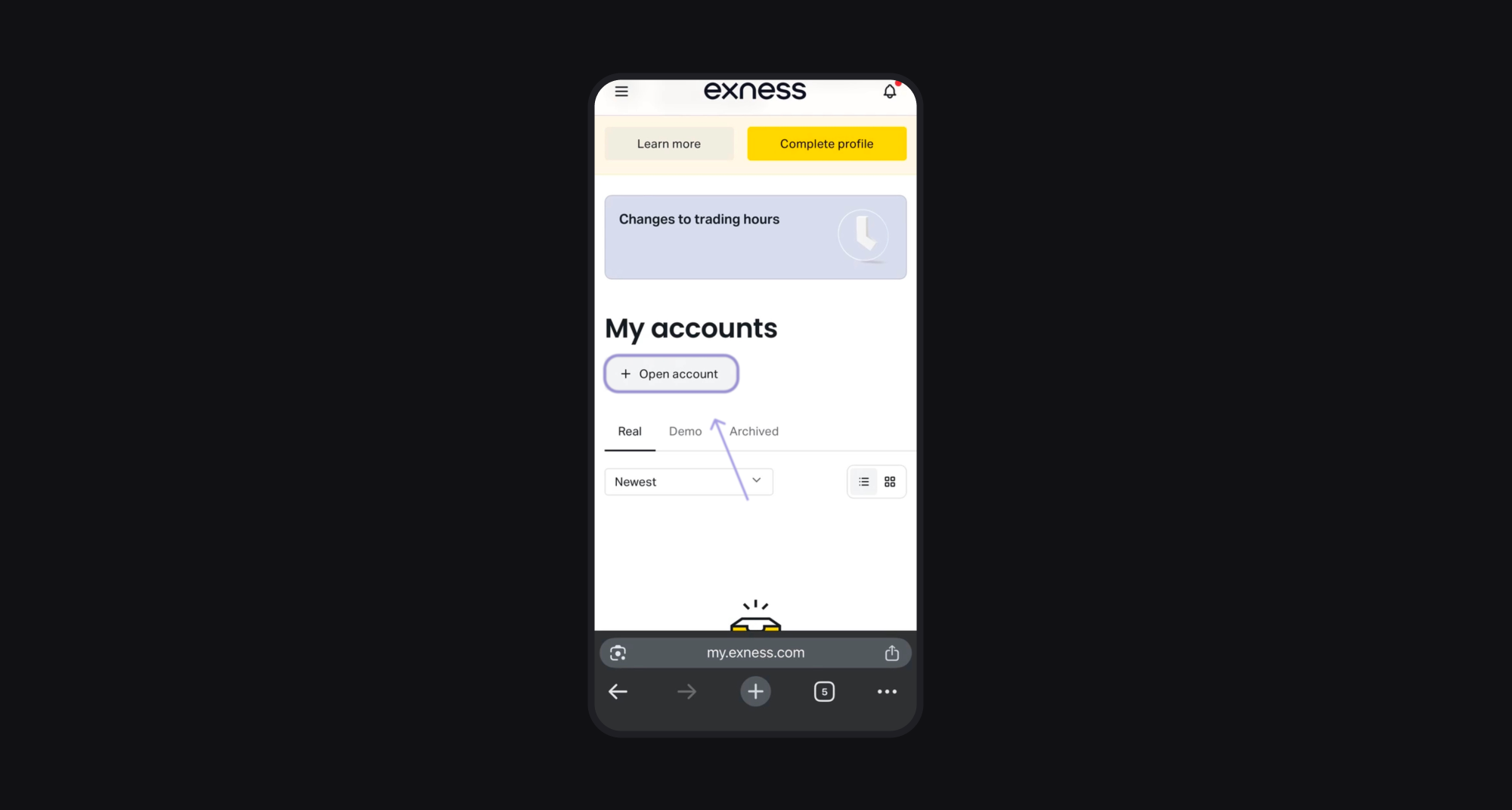
Your new trading account is now ready to be connected to Elirox. The final step is to fund your account. Make a deposit or transfer funds from your existing Exness accounts.
After that, you can start using Elirox’s automated trading features right away.