Elirox Help Center
How to connect an Exness account
Follow these steps to seamlessly link your Exness broker trading account to the Elirox app. Once connected, you can boost your trading journey by using automated trading bots with customizable strategies to manage your account more efficiently.
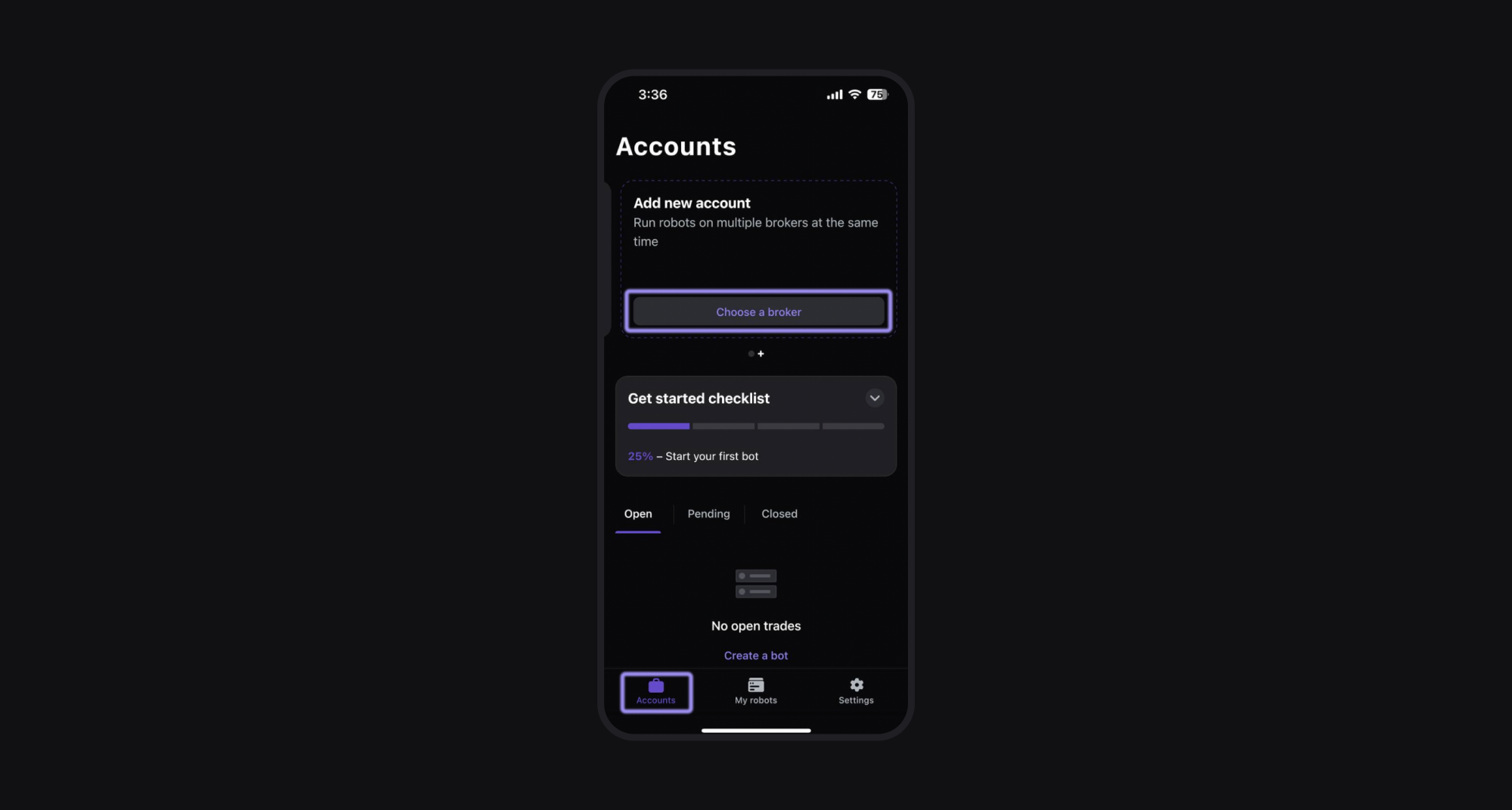
Step 1: Go to the Accounts page
Open the Elirox app and navigate to the Accounts page. Find the Add new account box at the top, then press the Choose a broker button.
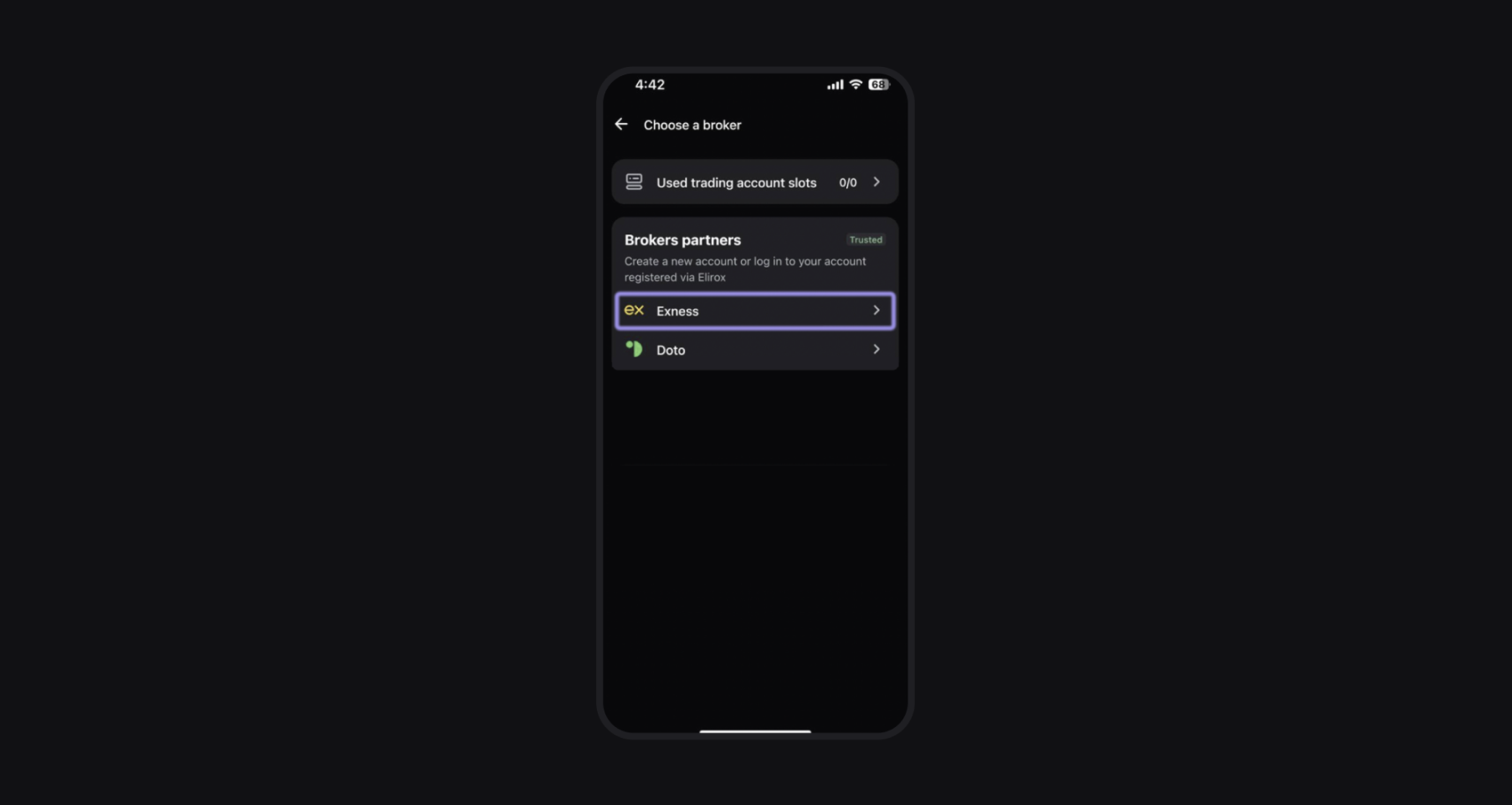
Step 2: Select Exness as your broker
From the list of available brokers, choose Exness.
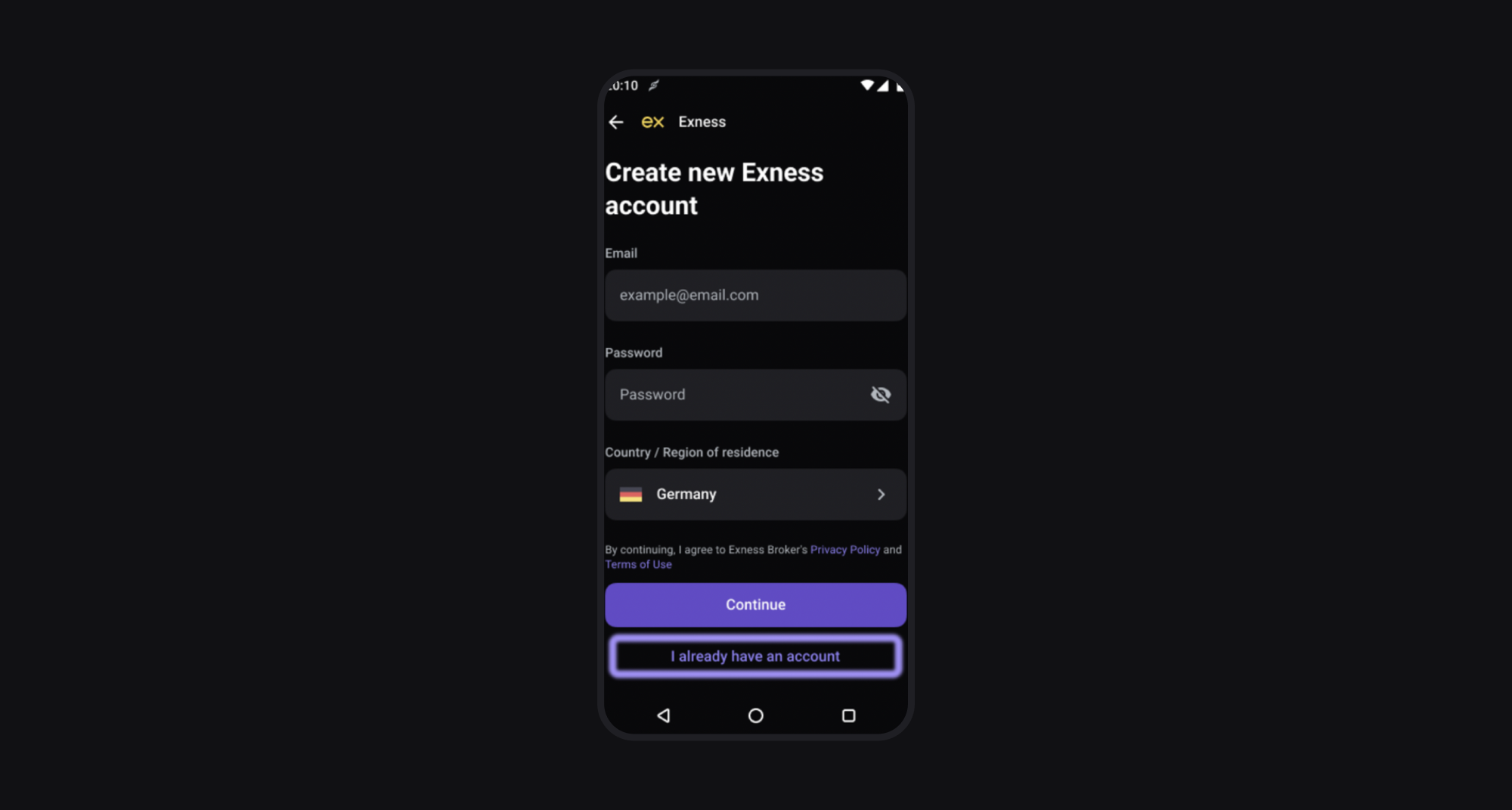
Step 3: Create an Exness Account
- New users: If you don’t have an Exness account, please create one directly within the Elirox app. It’s important to register your trading account this way. After registration, you may receive an email from Exness asking you to verify your email and provide additional information.
- Existing users: If your Exness account was created through the Elirox app, select I already have an account and log in. Otherwise, you’ll need to create a new account using the same process.
Step 4: Choose your trading account
After logging in, you will see a list of your trading accounts. Select the trading account you want to connect to the Elirox app.
If your current accounts don’t meet your needs, click Open new trading account to be automatically redirected to the Exness website and create a new account there.
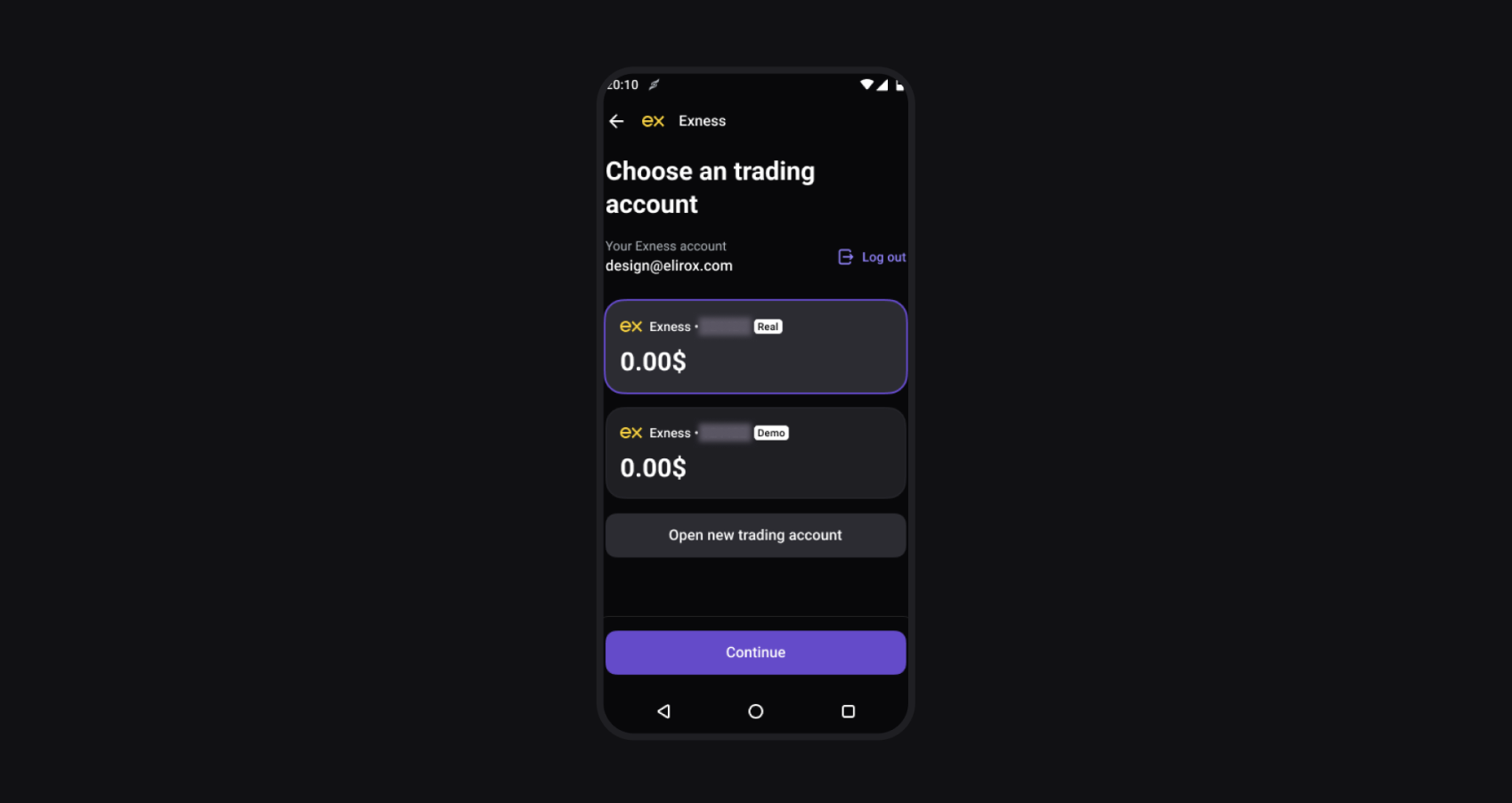
Step 5: Enter your account password
Enter the password you used when creating your Exness account in Step 2. If you have updated your password since then, use the current one. All other details will be filled in automatically.
If you choose to use a previously registered account instead of creating a new one, make sure to use the correct password for that account.
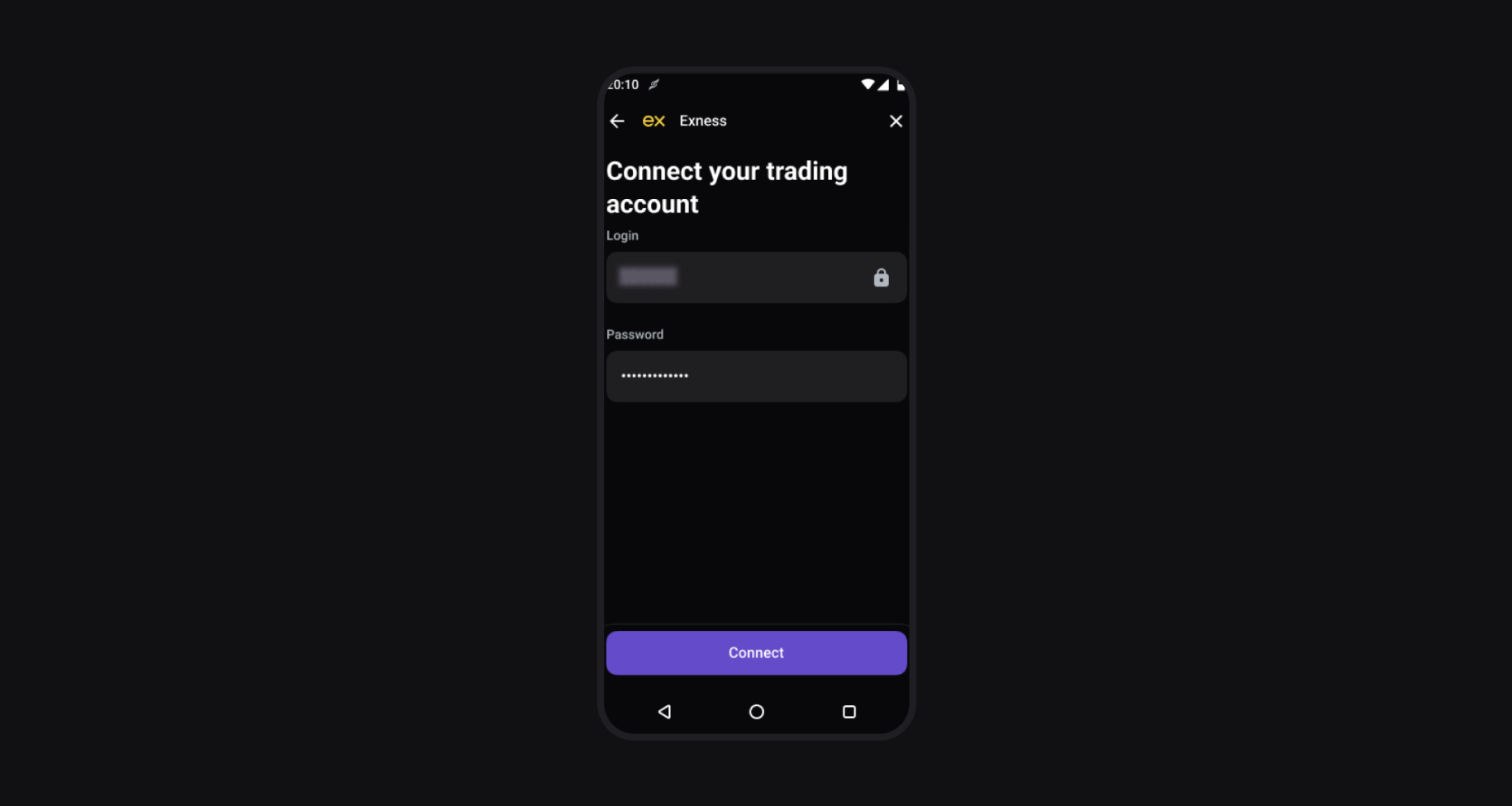
Step 6: Activate your account
Choose a subscription plan to activate your account and fully utilize the app’s automated trading features.
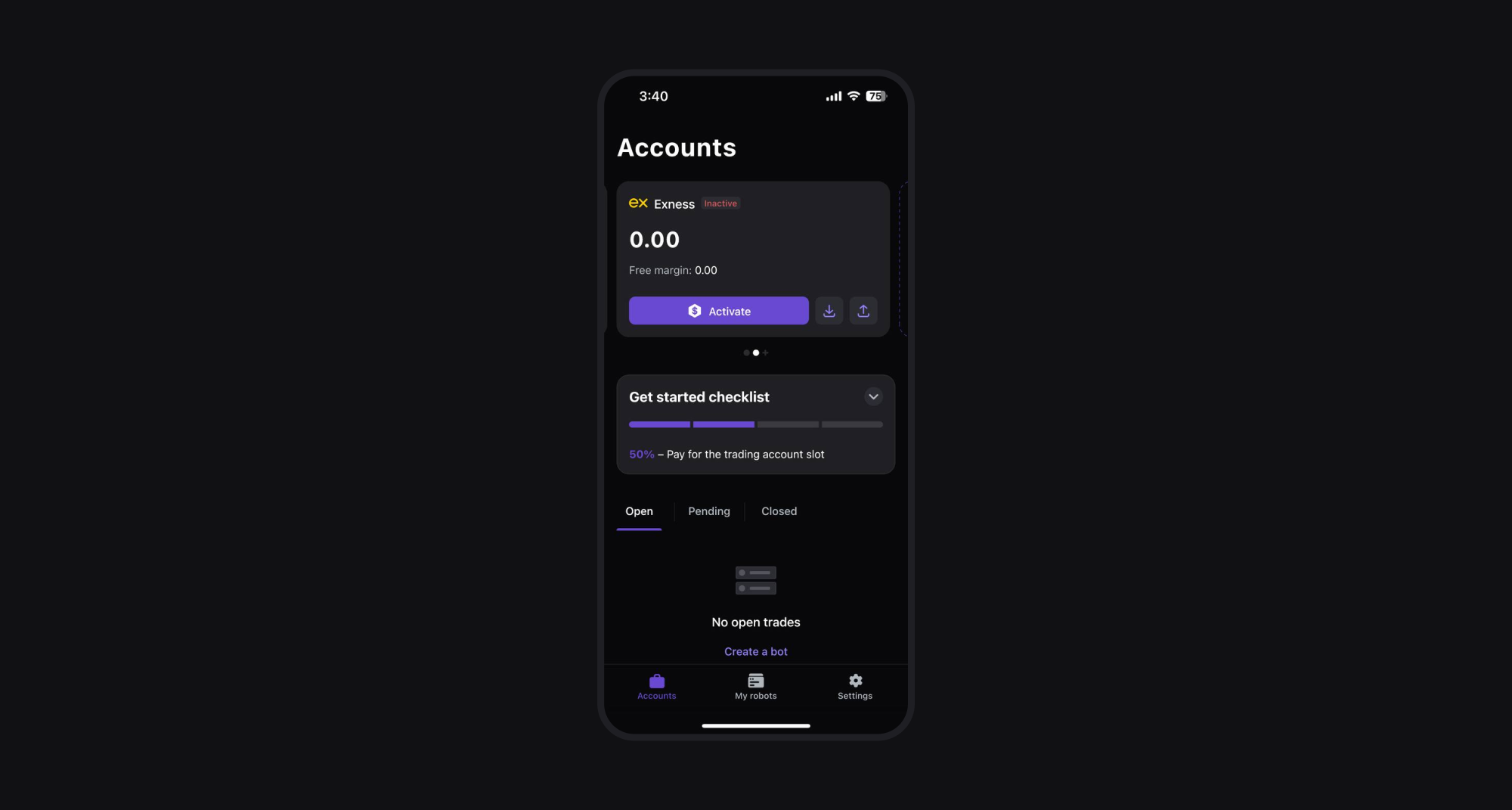
Summary
- Choose Exness as your broker in the Elirox app.
- Create a new Exness account or log in to your existing one.
- Pick the trading account you want to connect.
- Enter the password for that account.
- Activate your account by selecting a subscription plan that fits your trading approach.
💡 Please note that deposit and withdrawal management is handled directly through your broker’s website and is separate from the account connection process. Find out more here.