
Elirox Help Center
How to change your subscription plan in Elirox
Managing your subscription in the Elirox app is straightforward. In just a few taps, you can review your current plan, explore available options, and make changes directly from your device. This guide explains exactly how the process works on both iOS and Android.
How to upgrade your subscription plan in the Elirox app
Upgrading your plan in Elirox lets you access more features and better value instantly. Here’s how to do it:
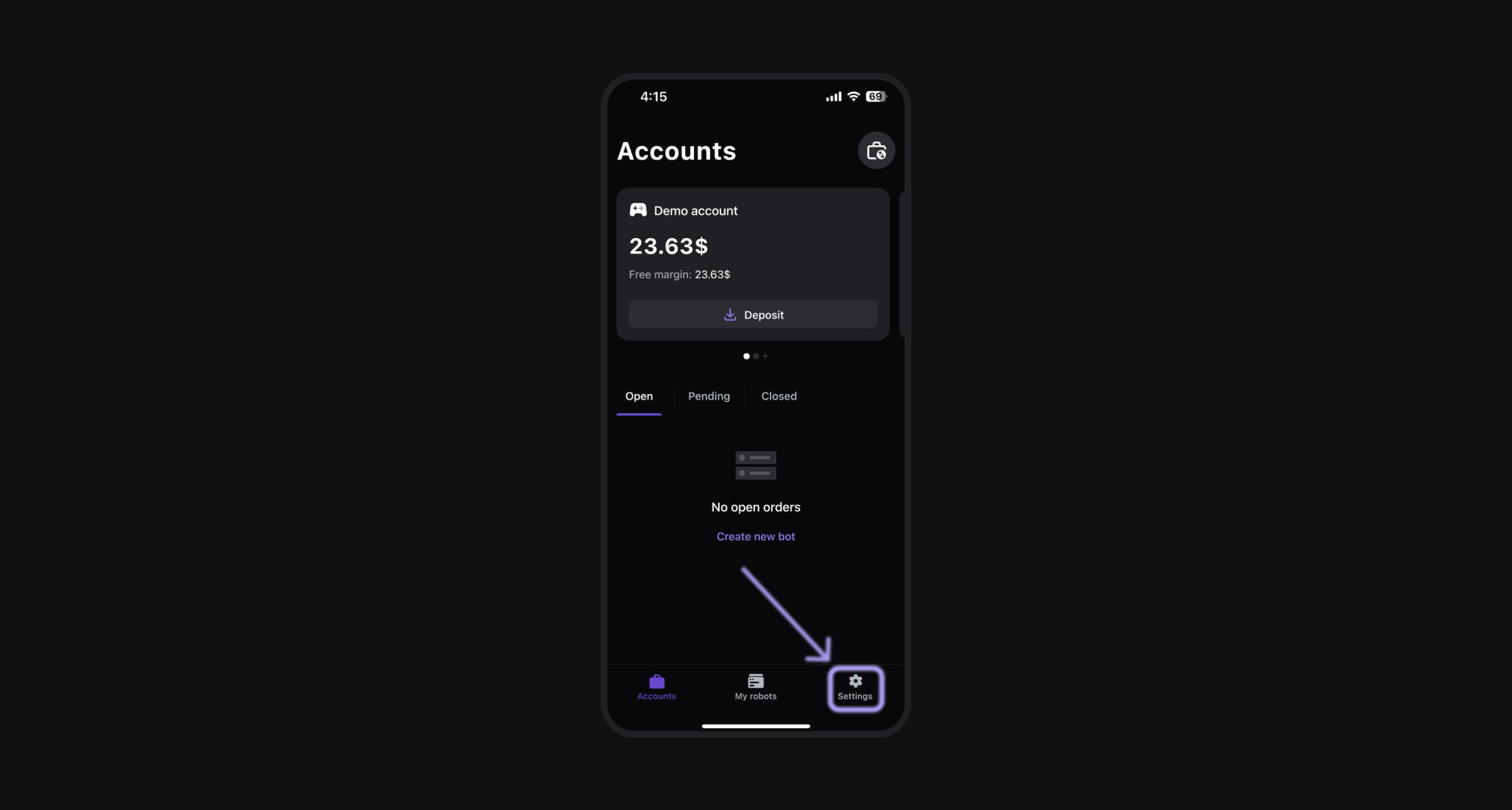
Step 1: Go to the Settings page
Launch the Elirox app and go to the Settings page by pressing the settings icon at the bottom.
Step 2: Check your current plan
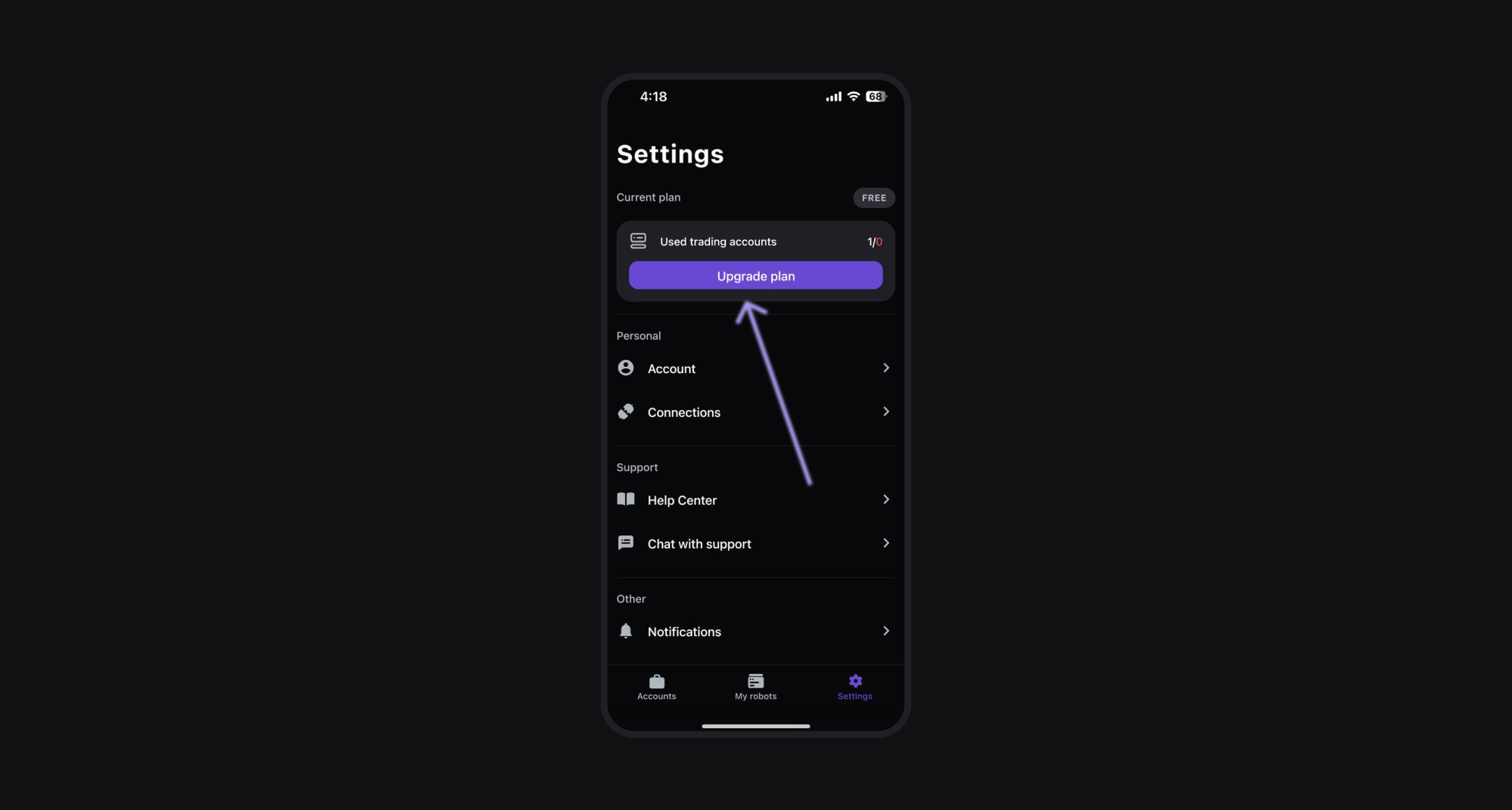
At the top of the page, you’ll see details about your current plan. Press the box with your plan to open a menu of other options.
Step 3: Upgrade your plan
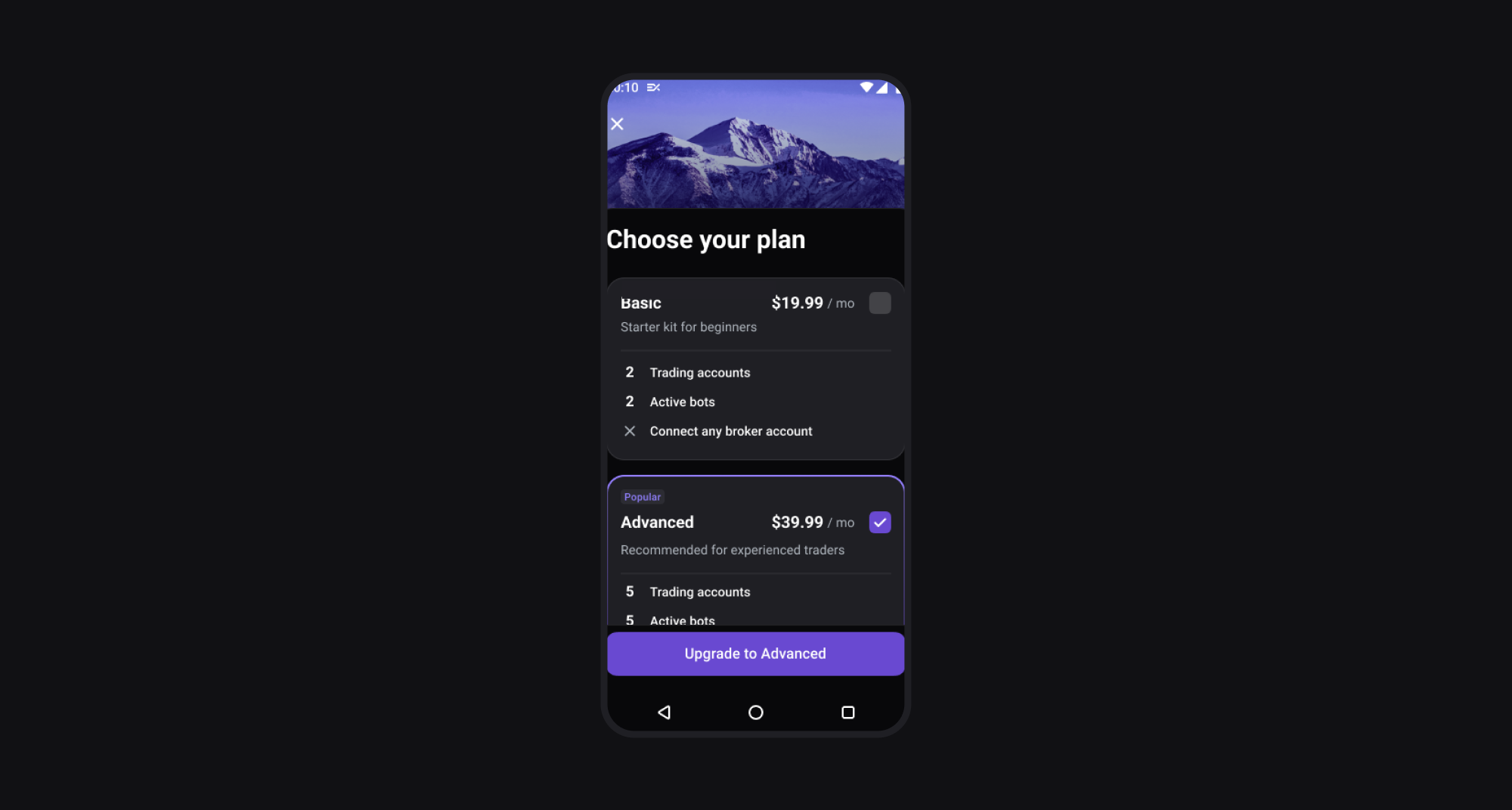
Select your preferred plan and press Upgrade.
For iOS users:
- Your upgrade happens right away.
- Any unused time on your current plan is converted into credit and refunded to you.
For Android users:
- The system recalculates your subscription days automatically.
- The system adds any leftover days from your old plan to your new one. No cash refund is provided.
How to downgrade your subscription plan in the Elirox app
Currently, the Elirox app does not support instant downgrades during an active subscription.
If you wish to switch to a lower plan:
- Wait until your current subscription ends.
- Once it expires, start a new subscription with the desired lower-tier plan.
If you have any issues or need help changing your subscription plan, you can always contact our support team.