
Elirox Help Center
How to connect an XM trading account
Follow these steps to seamlessly link your XM trading broker account to the Elirox app.
Learn more about trading on XM with Elirox on the XM partner page.
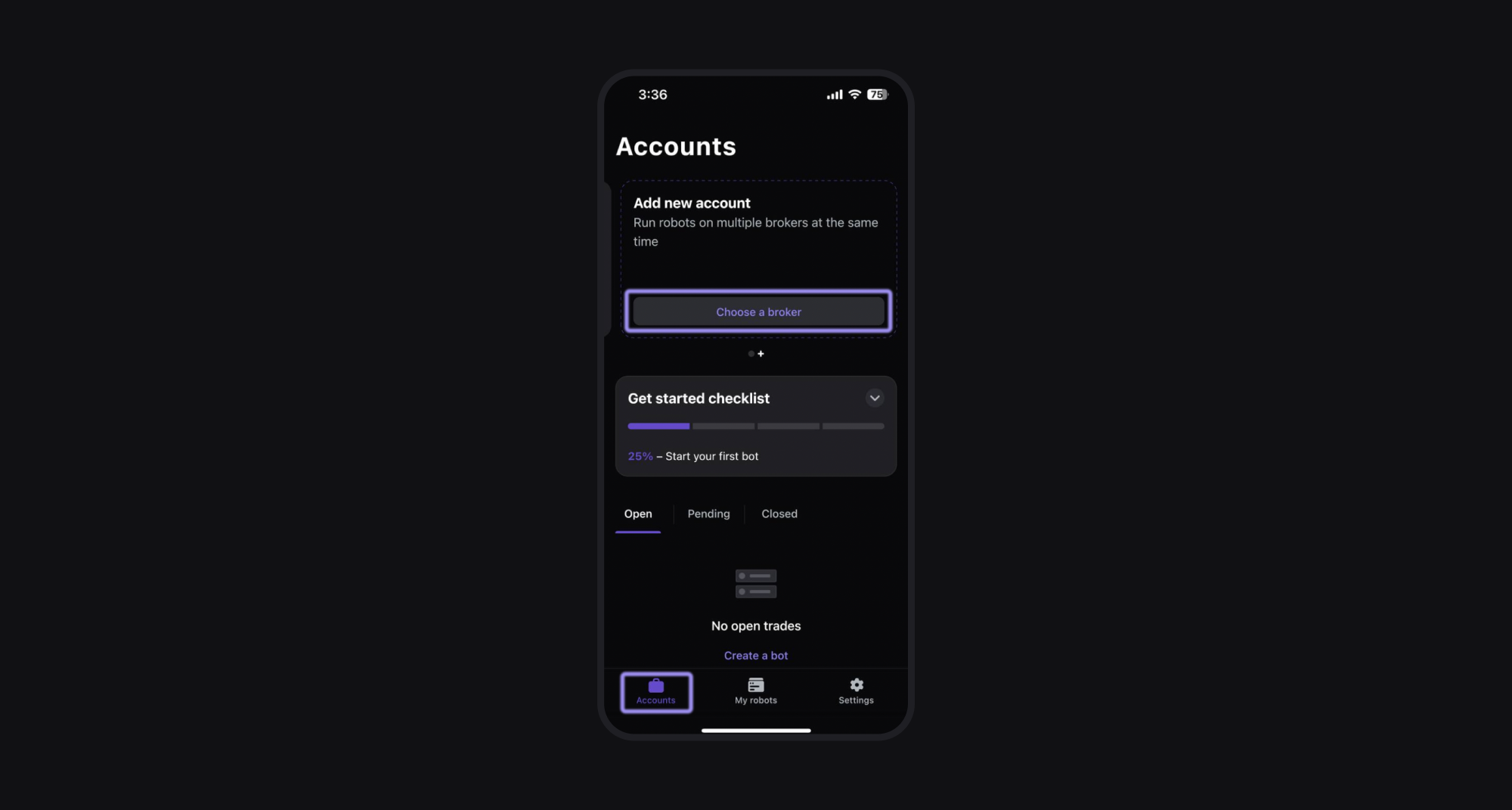
Step 1: Go to the Accounts page
Open the Elirox app and navigate to the Accounts page. Find the Add new account box at the top and then press the Choose a broker button.
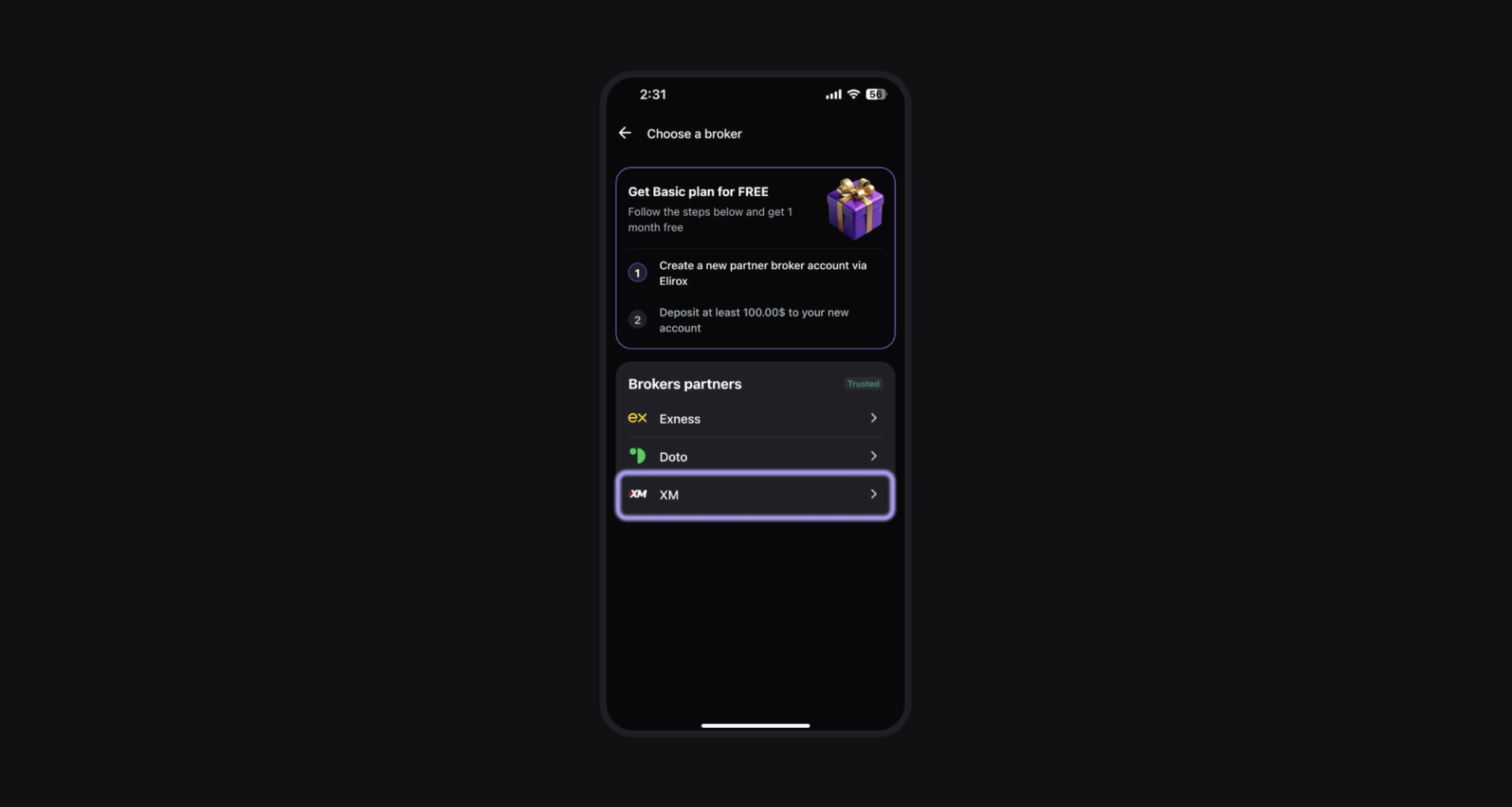
Step 2: Select XM as your broker
Choose XM from the list of available brokers.
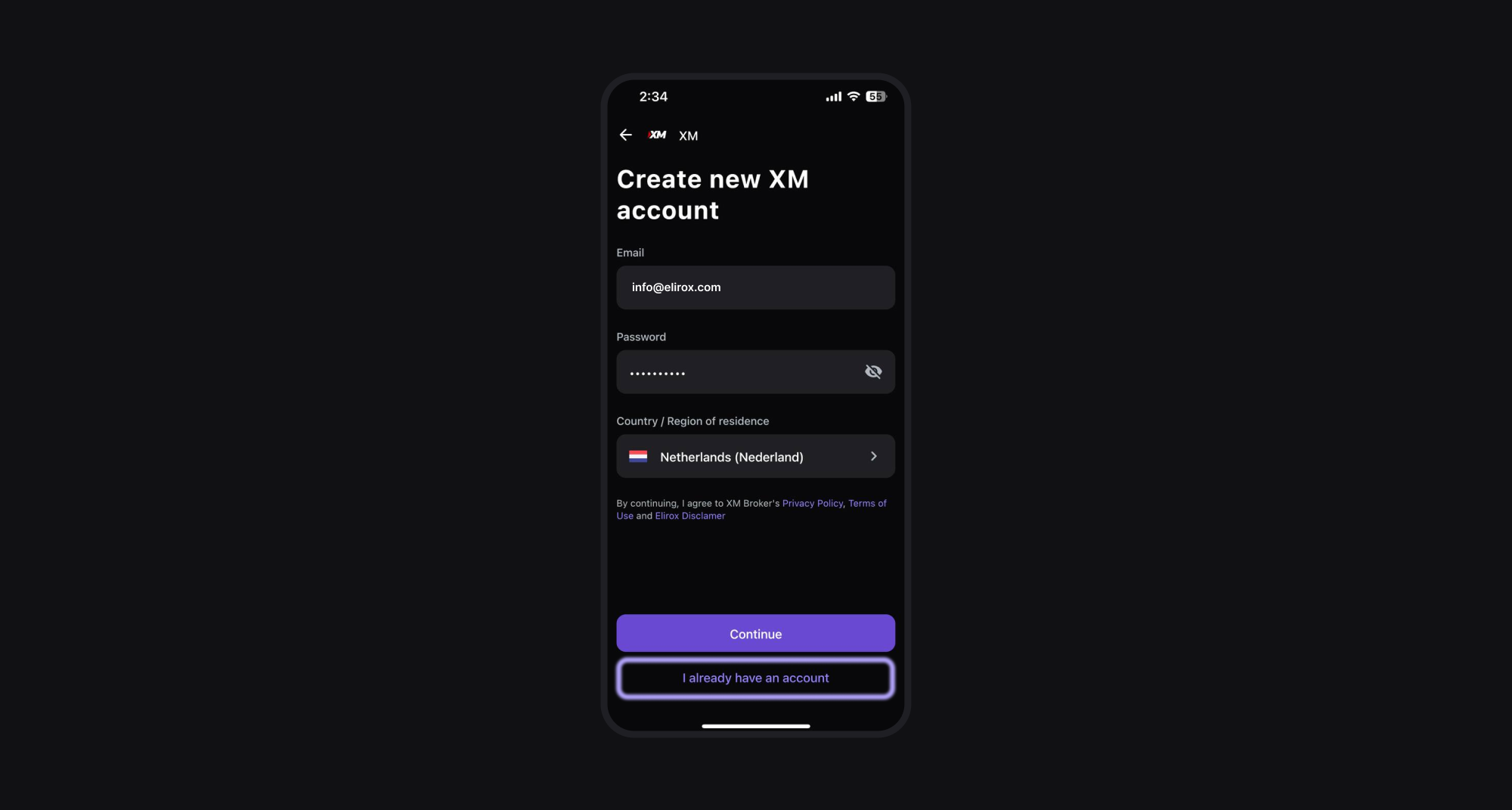
Step 3: Create an XM account
- New users: If you don’t have an XM account, sign up directly through the Elirox app. It’s important to create your trading broker account via the Elirox app. After registering, you may receive an email from XM asking you to verify your email and provide additional information like broker deposit details.
- Existing users: If you already have an XM account created through the Elirox app, select I already have an account and log in. If your XM account was not registered via the Elirox app, you will need to create a new one through the app.
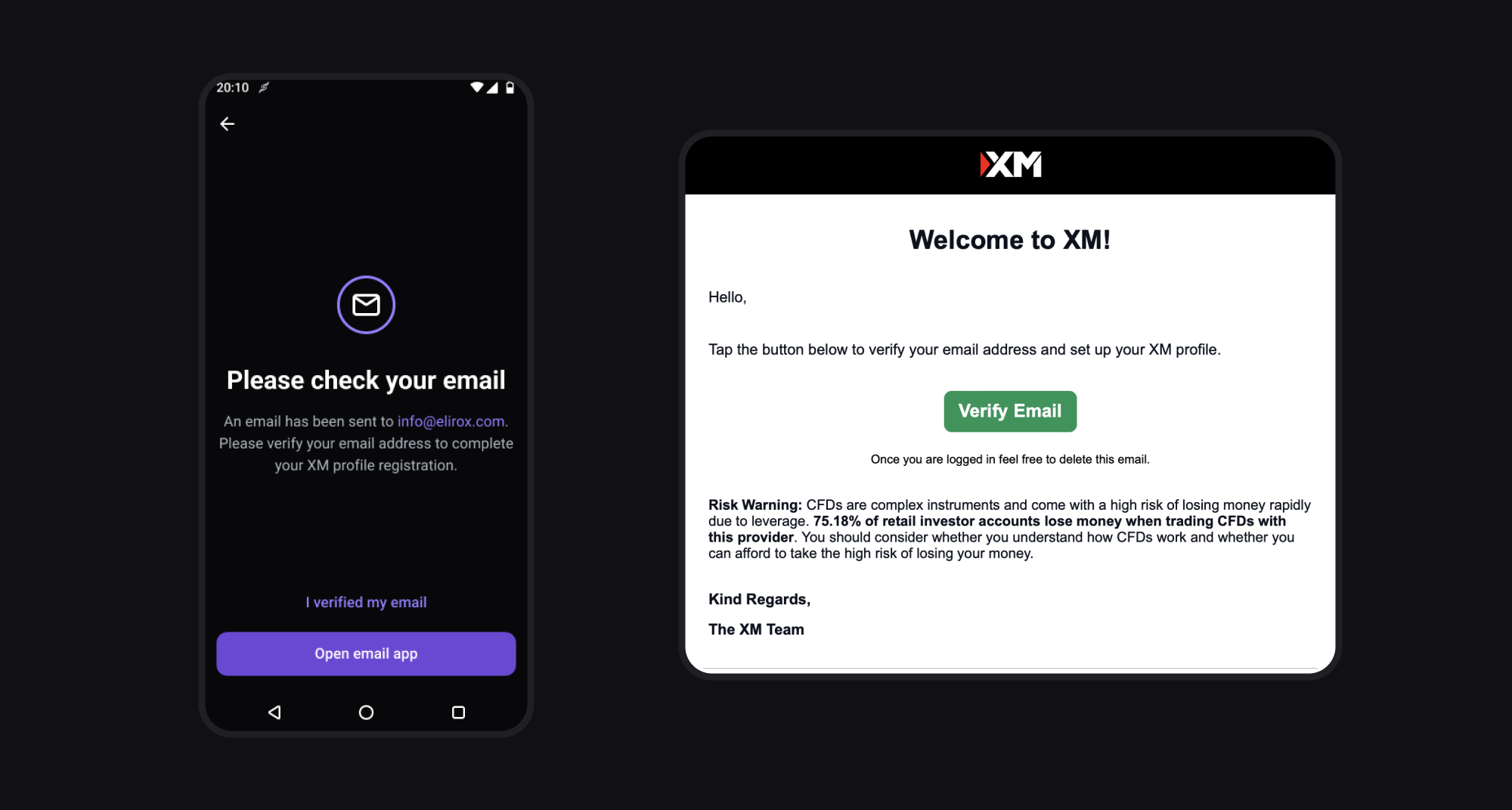
Step 4: Confirm your email
- If you decide to register a new account, check your email inbox for a confirmation message.
- Verify your email following the instructions in the message.
- Once you’re done, click on I verified my email.
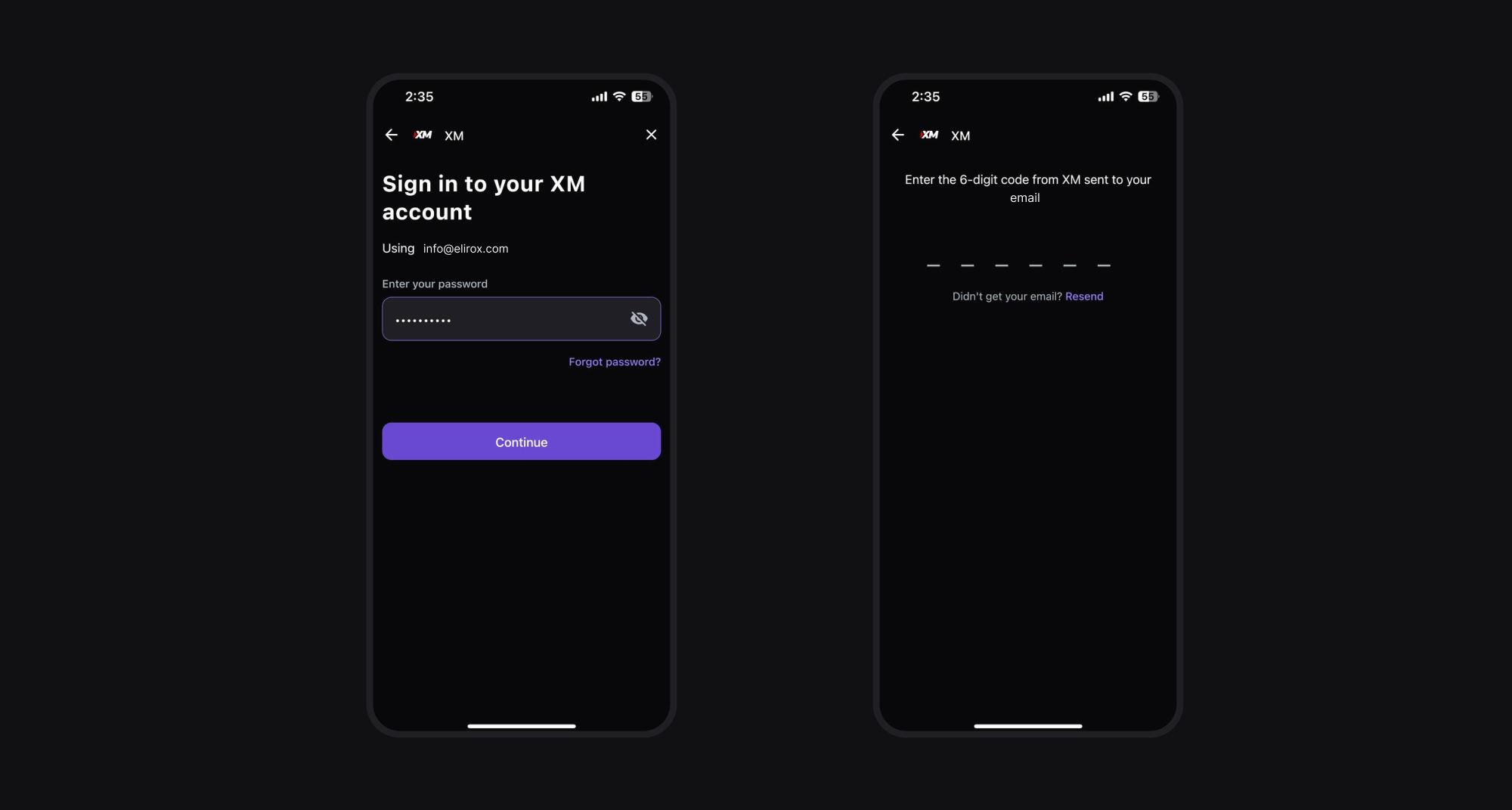
Step 5: Sign in to your XM account through Elirox
Once your email is verified, your account will be activated and ready for trading work. Simply sign in to your new account in the Elirox app, and you’ll receive a code in your email. Enter the code in the app to complete the process. This step is secure and necessary to link your trading broker account.
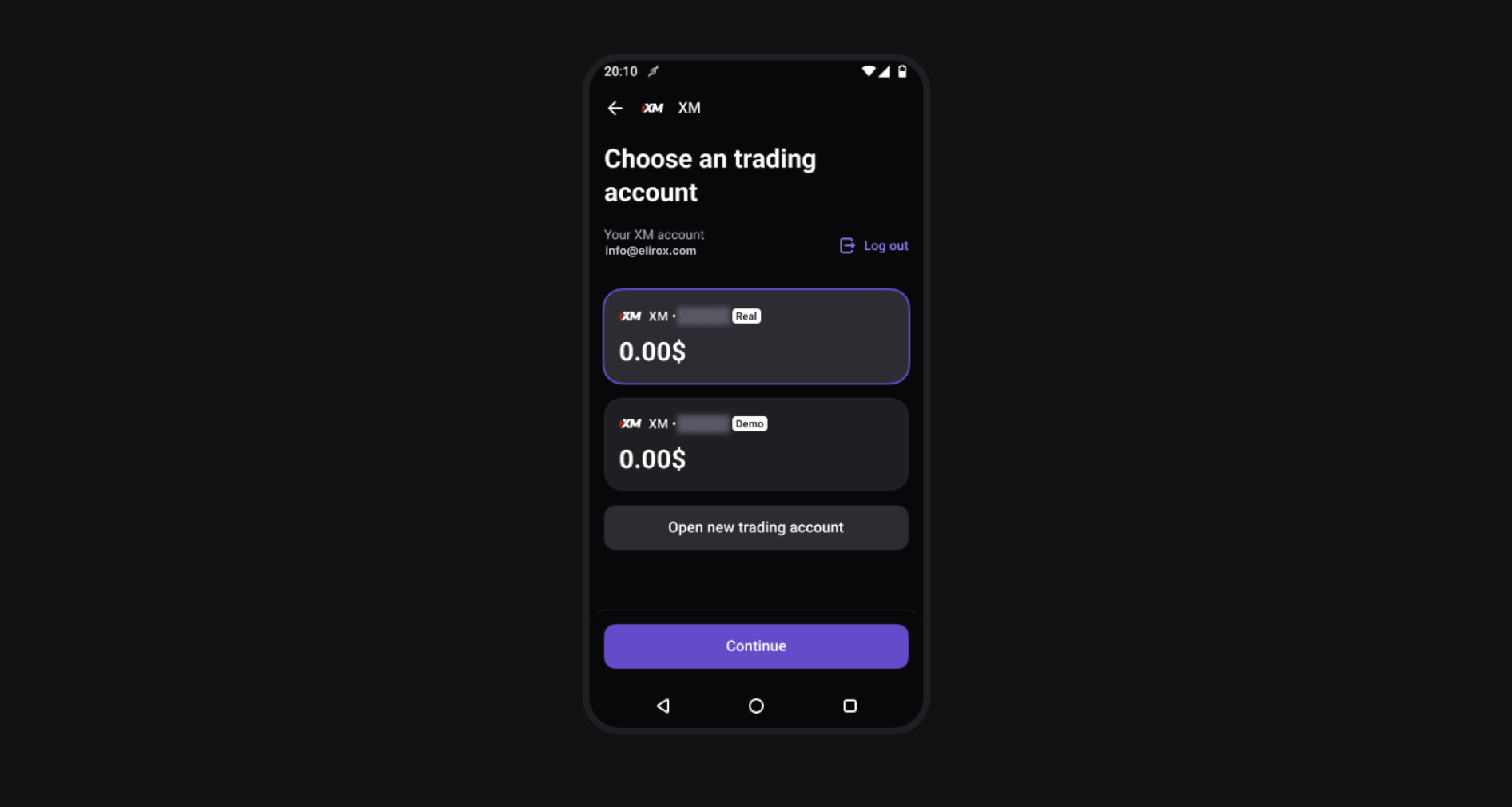
Step 6: Select your trading account
After logging in, select the trading account you want to use for your trading journey in the Elirox app.
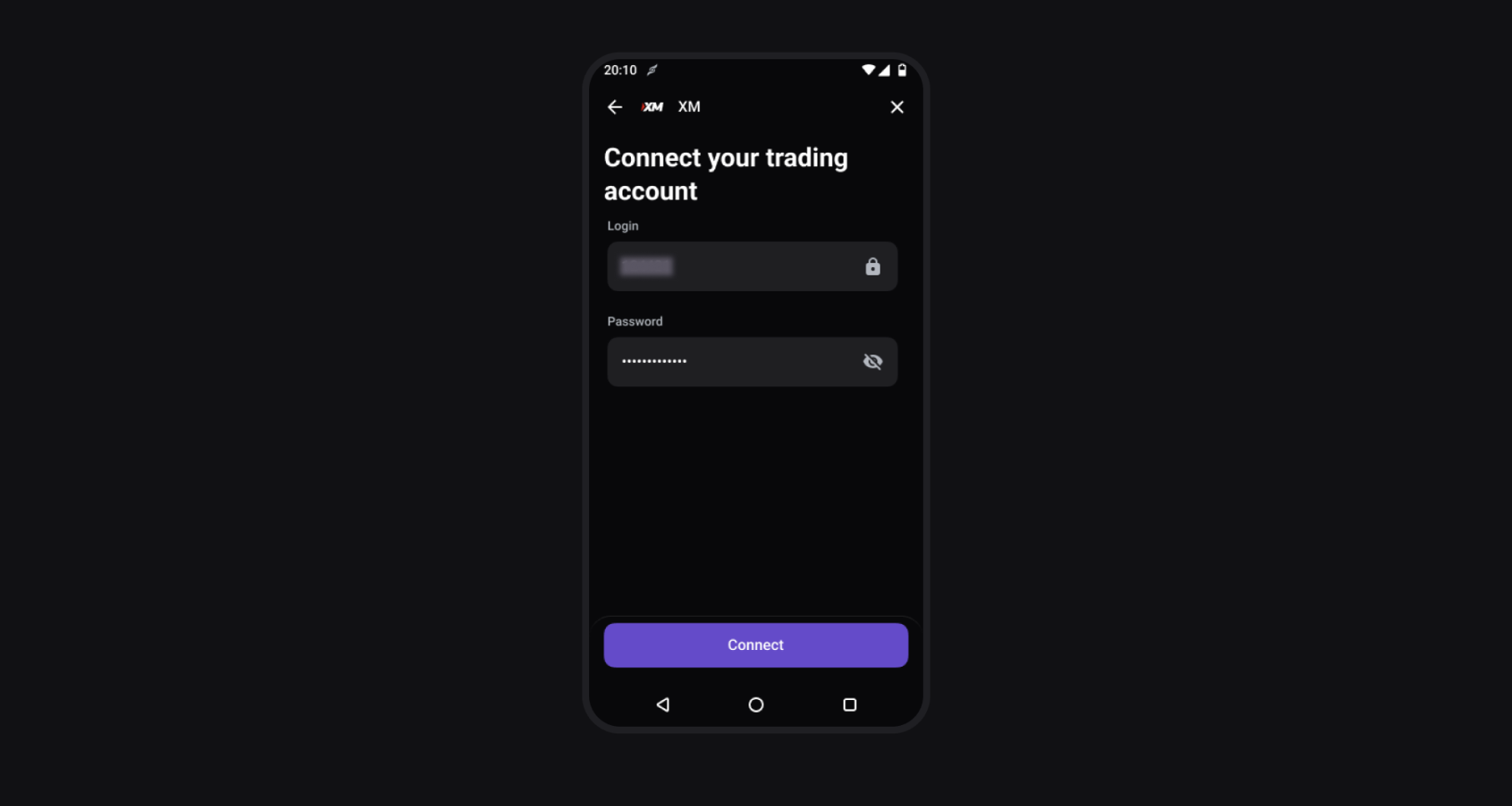
Step 7: Enter your account password
Enter the password you used when you registered your XM account. If you have changed your password since then, use the current password. The rest of the credentials will be updated automatically.
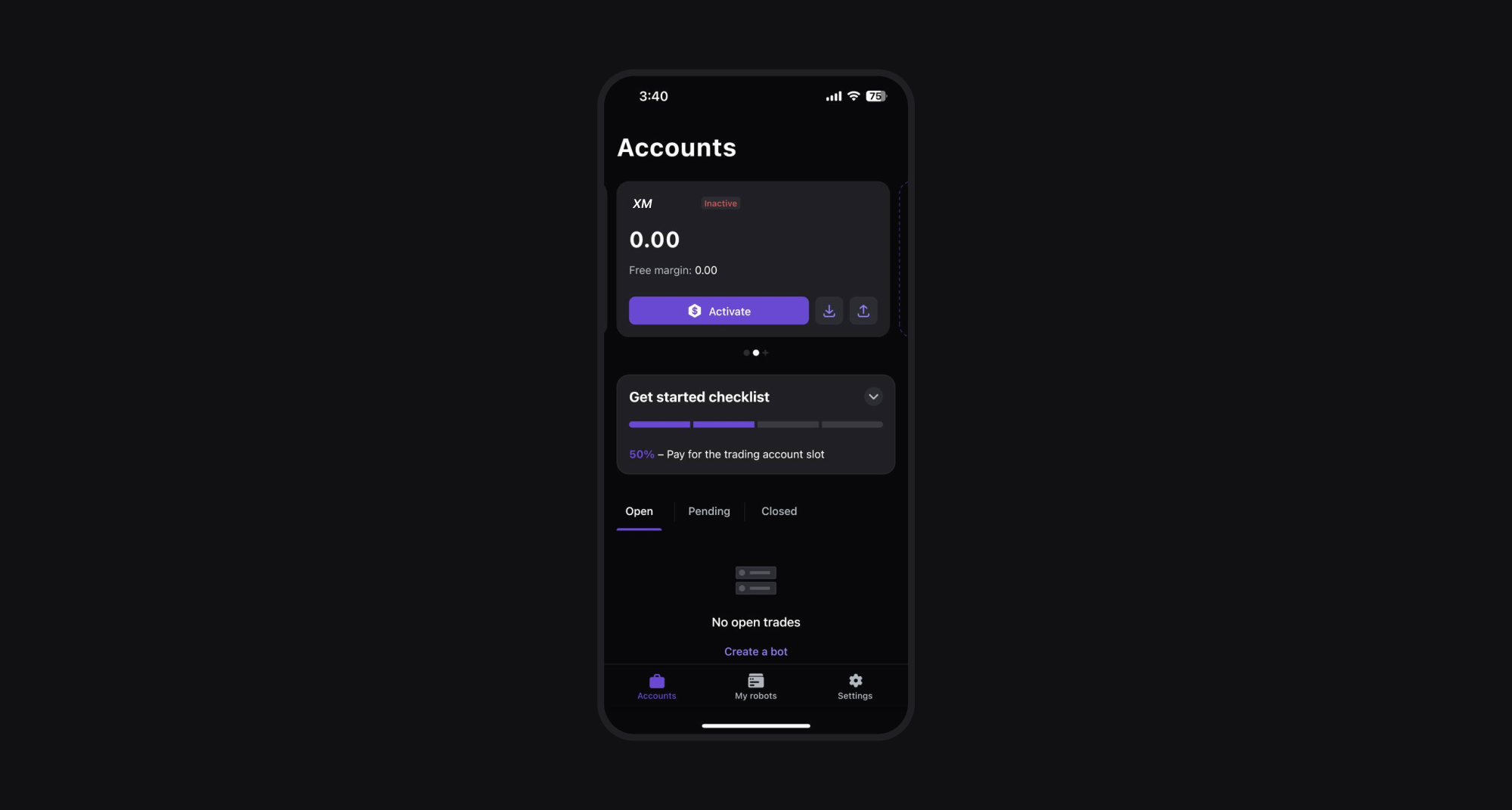
Step 8: Activate your account
Select a suitable subscription plan to activate your account.
Summary
- Register or log in to your XM account.
- Confirm your email address.
- Select the trading account you want to use.
- Enter your registered or current password.
- Activate your account by choosing a suitable subscription plan.
By following these steps, you can quickly and easily connect your XM trading broker account to the Elirox app and start trading. Happy trading!